
Nissan Maxima Service and Repair Manual: Front wiper and washer system
Nissan Maxima Service and Repair Manual / Driver controls / Wiper & washer / Wiring diagram / Front wiper and washer system
Wiring Diagram
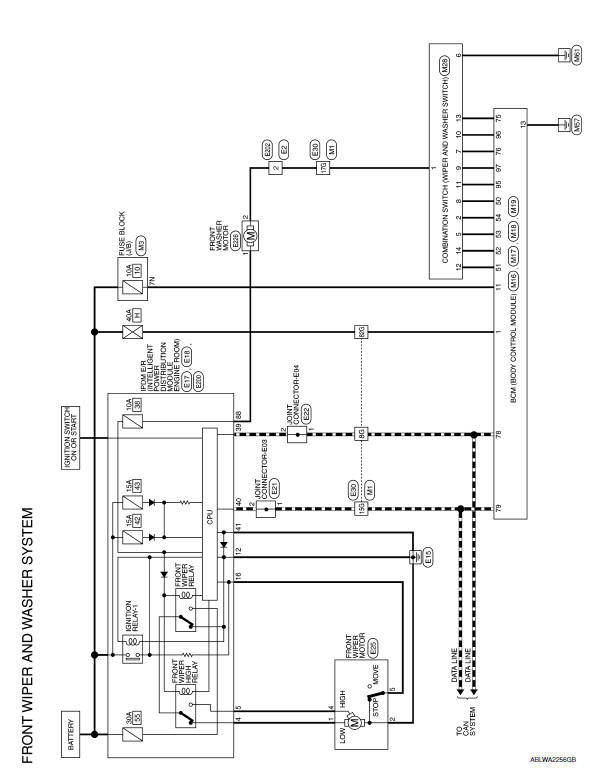
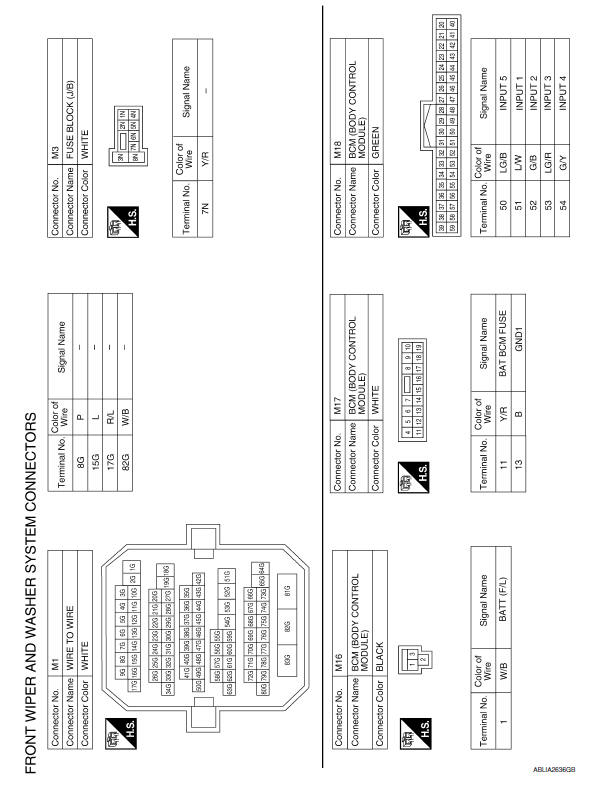
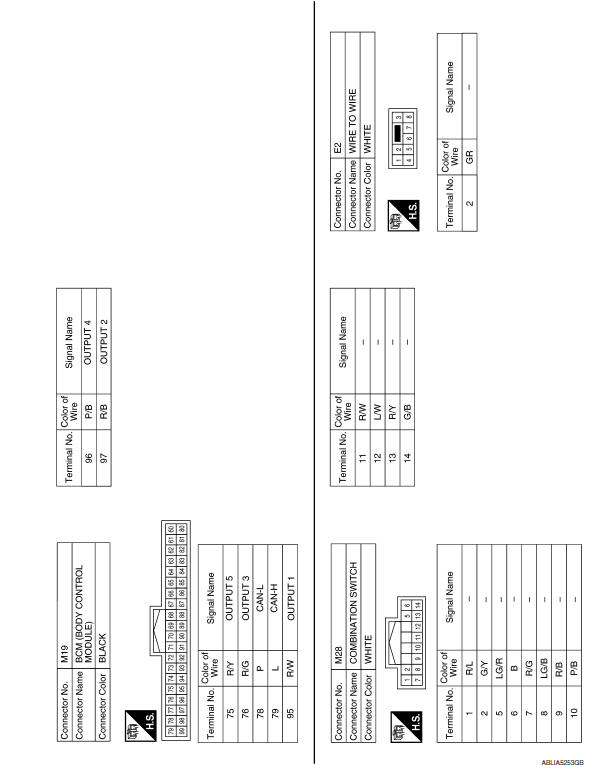
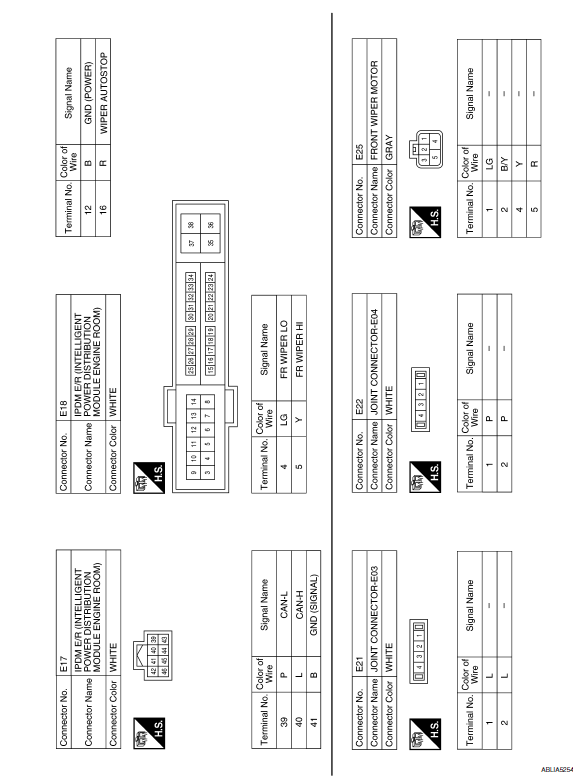
 Wiring diagram
...

Other materials:
Can communication circuit
Diagnosis Procedure
1.CONNECTOR INSPECTION
Turn the ignition switch OFF.
Disconnect the battery cable from the negative terminal.
Disconnect all the unit connectors on CAN communication system.
Check terminals and connectors for damage, bend and loose
connection.
2.CHECK HARNESS CON ...
Trunk lid opener
Wiring Diagram
...
Turn signal lamp circuit
Description
The BCM monitors inputs from the combination switch to determine when to
activate the turn signals. The BCM outputs voltage direction to the left and
right turn signals during turn signal operation or both during hazard warning
operation. The BCM sends a turn signal indicator requ ...
Nissan Maxima Owners Manual
- Illustrated table of contents
- Safety-Seats, seat belts and supplemental restraint system
- Instruments and controls
- Pre-driving checks and adjustments
- Monitor, climate, audio, phone and voice recognition systems
- Starting and driving
- In case of emergency
- Appearance and care
- Do-it-yourself
- Maintenance and schedules
- Technical and consumer information
Nissan Maxima Service and Repair Manual

© 2017-2026 Copyright www.nimainfo.com
0.0112
0.0112