
Nissan Maxima Service and Repair Manual: Preparation
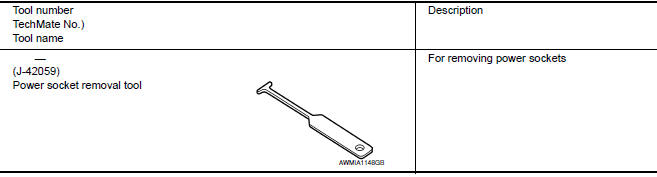
Special Service Tool
The actual shapes of the tools may differ from those illustrated here.
 Wiring diagram
POWER SOCKET
Wiring Diagram
...
 Removal and installation
POWER SOCKET
Removal and Installation
POWER SOCKET
NOTE: If the tool does not fit because of
the location of the power socket, further disassembly may be required. Refer
to IP-14, "Removal and ...
Other materials:
NISSAN Intelligent Key battery discharge
If the battery of the NISSAN Intelligent Key is
discharged, or environmental conditions interfere
with the Intelligent Key operation, start the engine
according to the following procedure:
1. Place the shift lever in the P (Park) position.
2. Firmly apply the foot brake.
3. Touch the i ...
System maintenance
The two radar sensors 1 for the BSW and
RCTA systems are located near the rear bumper.
Always keep the area near the radar sensors
clean.
The radar sensors may be blocked by temporary
ambient conditions such as splashing water, mist
or fog.
The blocked condition may also be caused b ...
Removal and installation
IPDM E/R (INTELLIGENT POWER DISTRIBUTION MODULE ENGINE
ROOM)
Removal and Installation
CAUTION:
Do not remove the relays from the IPDM E/R. Tampering with the relays may cause
additional incidents
with the vehicle.
REMOVAL
Disconnect battery negative terminal. Refer to PG-67, " ...
Nissan Maxima Owners Manual
- Illustrated table of contents
- Safety-Seats, seat belts and supplemental restraint system
- Instruments and controls
- Pre-driving checks and adjustments
- Monitor, climate, audio, phone and voice recognition systems
- Starting and driving
- In case of emergency
- Appearance and care
- Do-it-yourself
- Maintenance and schedules
- Technical and consumer information
Nissan Maxima Service and Repair Manual

0.0124