
Nissan Maxima Service and Repair Manual: Preparation
PREPARATION
Special Service Tool
The actual shapes of the tools may differ from those illustrated here.
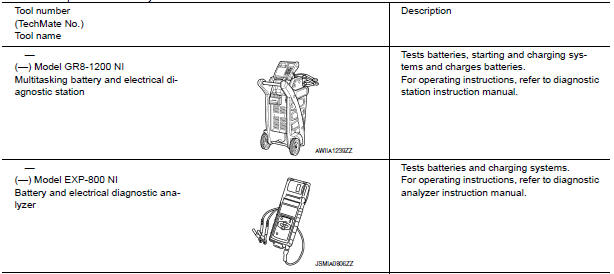
Commercial Service Tool
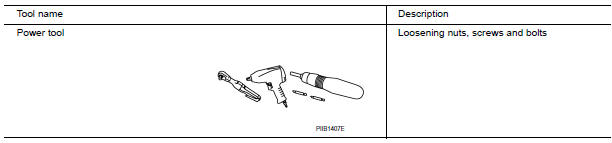
 Precaution
PRECAUTIONS
Precaution for Supplemental Restraint System (SRS) "AIR BAG" and "SEAT
BELT
PRE-TENSIONER"
The Supplemental Restraint System such as "AIR BAG" and "SEAT BELT PRE- ...
 Removal and installation
GENERATOR
Exploded View
-3 Tightening order
Generator
B terminal nut
Generator bracket
Front
Removal and Installation
REMOVAL
Remove hoodledge covers (LH/RH).
Remove co ...
Other materials:
Rear door finisher
Exploded View
Rear door finisher
Step lamp
Armrest finisher
Rear power window switch finisher
Inside release handle escutcheon
Inside release handle
Flat head screws
Screw Clip
Pawl
Front
Removal and Installation
CAUTION: Wrap the tip of a suitab ...
Roof side molding
Exploded View
Roof side molding
Roof panel
Body side panel
Roof side molding clip
Removal and Installation
REMOVAL
Using suitable tool, lift and twist the roof side molding up from
the rear edge, working forward.
Disengage each roof side molding clip, then remove the ...
Wiring diagram
POWER WINDOW SYSTEM
Wiring Diagram
...
Nissan Maxima Owners Manual
- Illustrated table of contents
- Safety-Seats, seat belts and supplemental restraint system
- Instruments and controls
- Pre-driving checks and adjustments
- Monitor, climate, audio, phone and voice recognition systems
- Starting and driving
- In case of emergency
- Appearance and care
- Do-it-yourself
- Maintenance and schedules
- Technical and consumer information
Nissan Maxima Service and Repair Manual

0.0066