
Nissan Maxima Owners Manual: Checking lights
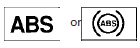 |
Anti-lock Braking System (ABS) warning light |
 |
Brake warning light (parking brake) |
 |
Brake warning light |
 |
Charge warning light |
 |
Engine oil pressure warning light |
 |
Forward Emergency Braking (FEB) system warning light (if so equipped) |
 |
Low tire pressure warning light |
 |
Master warning light |
 |
Power steering warning light |
 |
Seat belt warning light and chime |
 |
Supplemental air bag warning light |
 |
Front fog light indicator light (green) |
 |
Front passenger air bag status light |
 |
High beam indicator light (blue) |
 |
Malfunction Indicator Light (MIL) |
 |
Security indicator light |
 |
Side light and headlight indicator light (green) |
 |
Slip indicator light |
 |
Turn signal/hazard indicator lights |
 |
Vehicle Dynamic Control (VDC) OFF indicator light |
With all doors closed, apply the parking brake, fasten the seat belts and place the ignition switch in the ON position without starting the engine.
The following lights (if so equipped) will come on:
The following lights (if so equipped) will come on
briefly and then go off:
If any light does not come on or operate in a way other than described, it may indicate a burnedout bulb and/or a system malfunction. Have the system checked. It is recommended that you visit a NISSAN dealer for this service.
Some indicators and warnings are also displayed on the vehicle information display between the speedometer and tachometer. For additional information, refer to "Vehicle information display" in this section.

 Warning lights
For additional information on warnings and indicators,
refer to "Vehicle information display" in
this section.
Anti-lock Braking
System (ABS)
warning light
When the ignition switch is placed in ...
Other materials:
Horn function
Symptom Table
HAZARD AND HORN REMINDER FUNCTION MALFUNCTION
NOTE:
Before performing the diagnosis in the following table, check
"Work flow". Refer to DLK-9, "Work Flow".
If the following symptoms are detected, check systems shown in
the "Diagnosis/service procedure" column
...
P0127 IAT sensor
Description
The intake air temperature sensor is built-into the mass air flow sensor
(1). The sensor detects intake air temperature and transmits a
signal to the ECM.
The temperature sensing unit uses a thermistor which is sensitive to
the change in temperature. Electrical resistance o ...
Rear window defogger switch
Description
The rear window defogger is operated by turning the rear window defogger
switch ON.
Turns the indicator lamp in the rear window defogger switch ON
when operating the rear window defogger.
Component Function Check
1. CHECK REAR WINDOW DEFOGGER SWITCH FUNCTION
Check that t ...
Nissan Maxima Owners Manual
- Illustrated table of contents
- Safety-Seats, seat belts and supplemental restraint system
- Instruments and controls
- Pre-driving checks and adjustments
- Monitor, climate, audio, phone and voice recognition systems
- Starting and driving
- In case of emergency
- Appearance and care
- Do-it-yourself
- Maintenance and schedules
- Technical and consumer information
Nissan Maxima Service and Repair Manual

0.0092