
Nissan Maxima Service and Repair Manual: Preparation
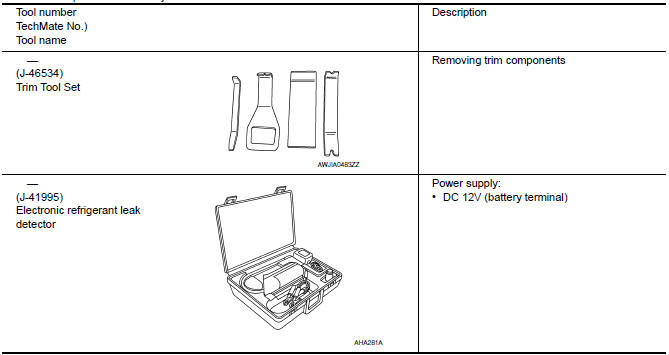
Special Service Tool
The actual shapes of the tools may differ from those illustrated here.
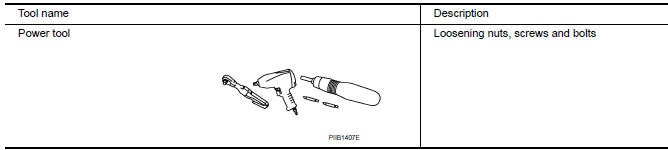
Commercial Service Tool
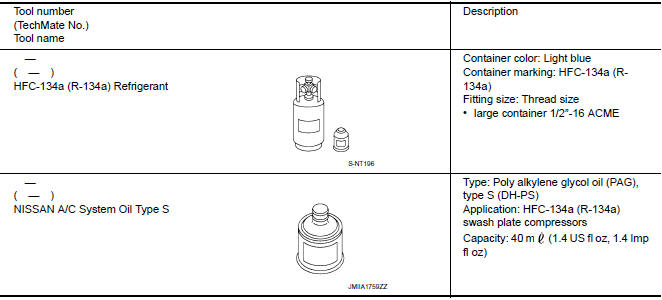
Sealant and/or Lubricant
 Precaution
Precaution for Supplemental Restraint System (SRS) "AIR BAG" and "SEAT
BELT
PRE-TENSIONER"
The Supplemental Restraint System such as "AIR BAG" and "SEAT BELT PRE-TENSIONER",
...

Other materials:
U1310 AV control unit
Description
Part name
Description
AV CONTROL UNIT
It is the master unit of the MULTI AV system and it is connected
to each control unit by means of communication. It operates each
system according to communication signals from the AV contro ...
Turning the PFCW system on/off
Perform the following steps to turn the PFCW
system ON or OFF.
1. Press the button until
"Settings" displays
in the vehicle information display and
then press OK button. Use the button
to select "Driver Assistance". Then press the
OK button.
2. Select "Emergency Brake" and pr ...
Continuously Variable Transmission (CVT) fluid
CAUTION
NISSAN recommends using Genuine
NISSAN CVT Fluid NS-3 (or equivalent)
ONLY in NISSAN CVTs. Do not mix with
other fluids.
Do not use Automatic Transmission
Fluid (ATF) or Manual transmission
fluid in a NISSAN CVT, as it may damage
the CVT. Damage caused by the use of
fluid ...
Nissan Maxima Owners Manual
- Illustrated table of contents
- Safety-Seats, seat belts and supplemental restraint system
- Instruments and controls
- Pre-driving checks and adjustments
- Monitor, climate, audio, phone and voice recognition systems
- Starting and driving
- In case of emergency
- Appearance and care
- Do-it-yourself
- Maintenance and schedules
- Technical and consumer information
Nissan Maxima Service and Repair Manual

0.0106