
Nissan Maxima Service and Repair Manual: Preparation
Special Service Tools
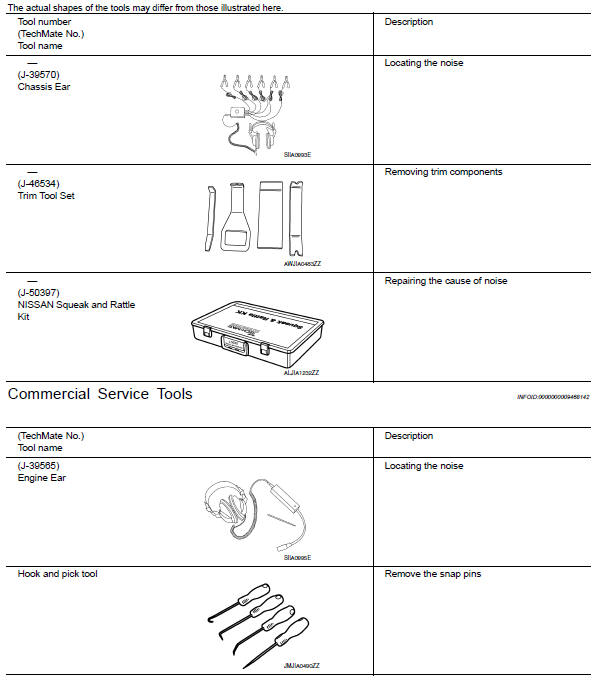
 Preparation
...
 Clip list
Descriptions for Clips
Replace any clips which are damaged during removal or installation.
...
Other materials:
Service data and specifications (SDS)
General Specification (Rear)
Wheel Alignment (Unladen*1)
*1: Fuel, engine coolant, and lubricants are full. Spare tire, jack, hand
tools, and mats are in designated positions. *2: 18" tire. *3: 19"
tire.
Ball Joint
Wheelarch Height (Unladen*1)
*1: Fuel, engine coolant, and lub ...
Opening the trunk lid
1. Push the trunk opener request switch A for
more than 1 second while carrying the Intelligent
Key with you. If all doors are already
unlocked, opening the trunk does NOT require
an Intelligent Key to be in range of the
trunk opener request switch or rear of the
vehicle.
2. The trunk w ...
Turn signal lamp circuit
Description
The BCM monitors inputs from the combination switch to determine when to
activate the turn signals. The BCM outputs voltage direction to the left and
right turn signals during turn signal operation or both during hazard warning
operation. The BCM sends a turn signal indicator requ ...
Nissan Maxima Owners Manual
- Illustrated table of contents
- Safety-Seats, seat belts and supplemental restraint system
- Instruments and controls
- Pre-driving checks and adjustments
- Monitor, climate, audio, phone and voice recognition systems
- Starting and driving
- In case of emergency
- Appearance and care
- Do-it-yourself
- Maintenance and schedules
- Technical and consumer information
Nissan Maxima Service and Repair Manual

0.0142