
Nissan Maxima Service and Repair Manual: Clip list
Descriptions for Clips
Replace any clips which are damaged during removal or installation.
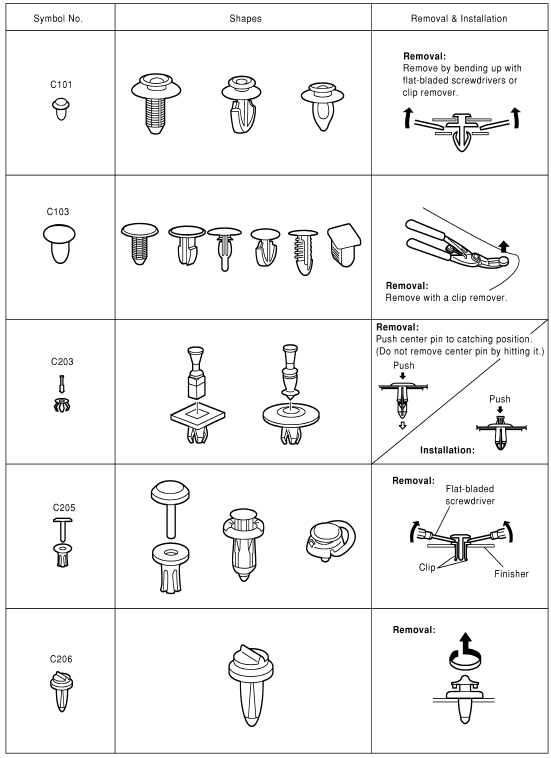
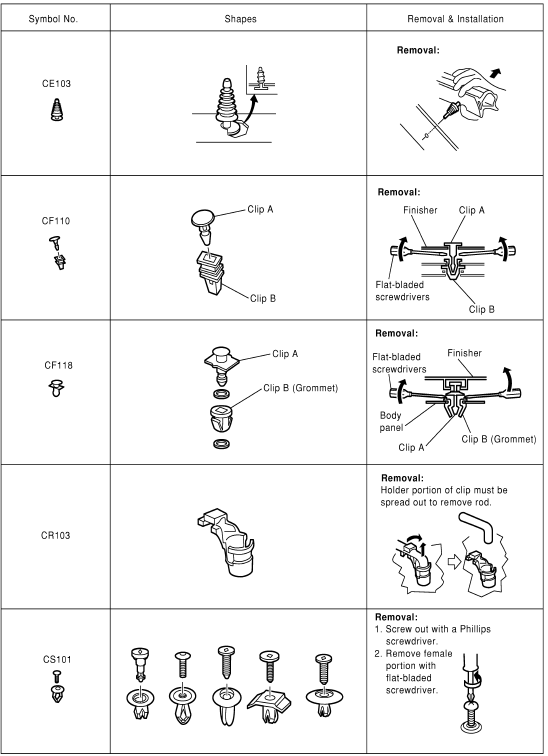
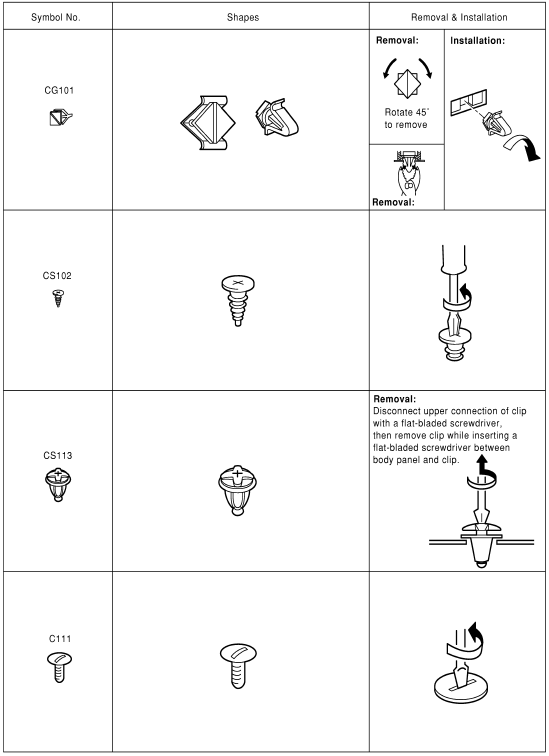
 Preparation
Special Service Tools
The actual shapes of the tools may differ from those illustrated here
Commercial Service Tool
...
 Periodic maintenance
SQUEAK AND RATTLE TROUBLE DIAGNOSES
Work Flow
CUSTOMER INTERVIEW
Interview the customer if possible, to determine the conditions that exist
when the noise occurs. Use the Diagnostic Worksheet d ...
Other materials:
Stop lamp
Wiring Diagram
...
Tweeter
Description
The audio unit sends audio signals to the BOSE speaker amp. The BOSE speaker
amp. amplifies the audio signals before sending them to the tweeters using
the audio signal circuits.
Diagnosis Procedure
1.CONNECTOR CHECK
Check the audio unit, BOSE speaker amp. and speaker connectors ...
Front combination lamp
Exploded View
Front combination lam
Removal and Installation
FRONT COMBINATION LAMP
Removal
Remove the front bumper fascia. Refer to EXT-16, "Removal and
Installation".
Remove the front combination lamp bolts.
Remove the harness clips from the front combination lamp assembly.
...
Nissan Maxima Owners Manual
- Illustrated table of contents
- Safety-Seats, seat belts and supplemental restraint system
- Instruments and controls
- Pre-driving checks and adjustments
- Monitor, climate, audio, phone and voice recognition systems
- Starting and driving
- In case of emergency
- Appearance and care
- Do-it-yourself
- Maintenance and schedules
- Technical and consumer information
Nissan Maxima Service and Repair Manual

0.0104