
Nissan Maxima Service and Repair Manual: BCM (body control module)
Reference Value
NOTE: The Signal Tech II Tool (J-50190) can be used to perform the following functions. Refer to the Signal Tech II User Guide for additional information.
- Activate and display TPMS transmitter IDs
- Display tire pressure reported by the TPMS transmitter
- Read TPMS DTCs
- Register TPMS transmitter IDs
- Check Intelligent Key relative signal strength
- Confirm vehicle Intelligent Key antenna signal strength
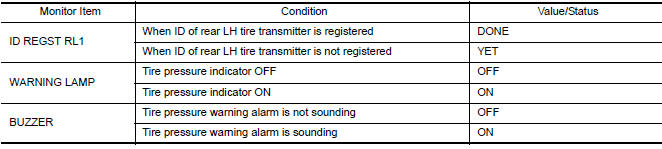
VALUES ON THE DIAGNOSIS TOOL
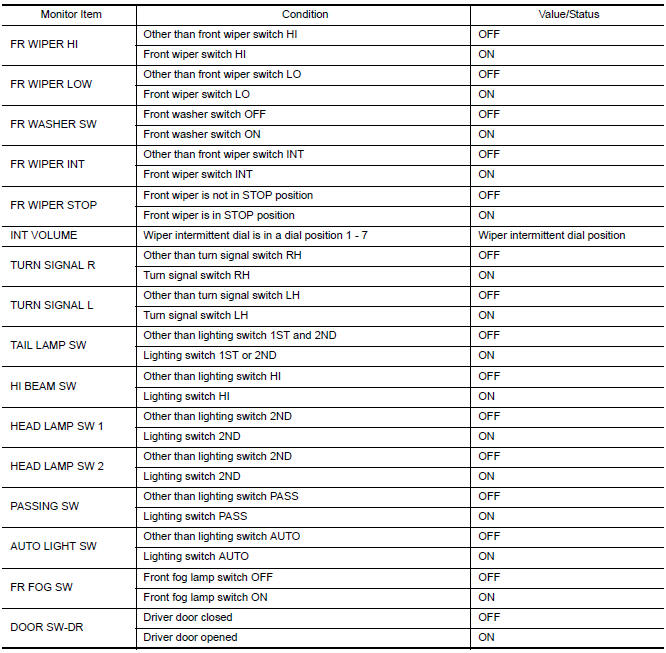
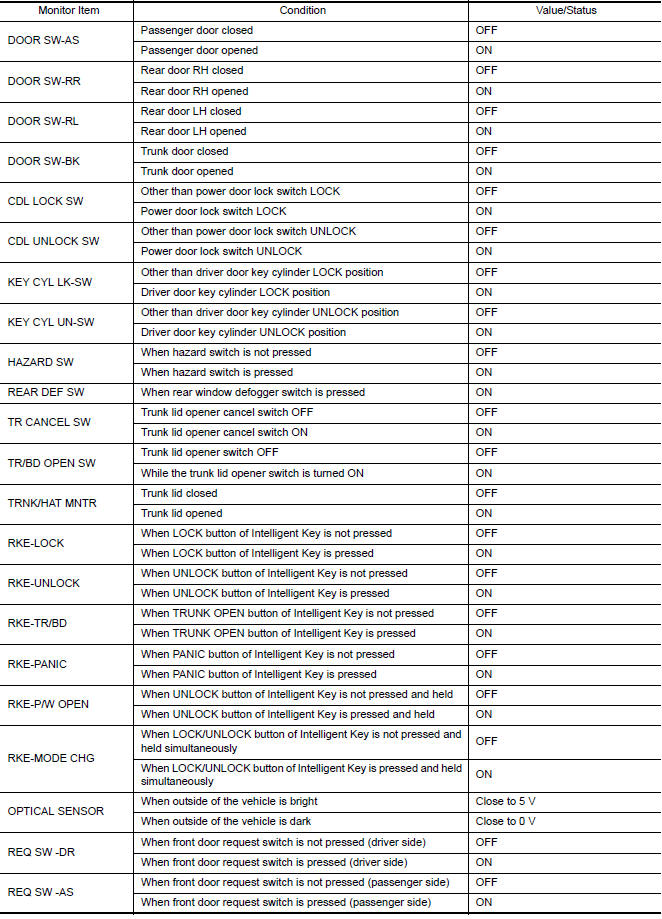
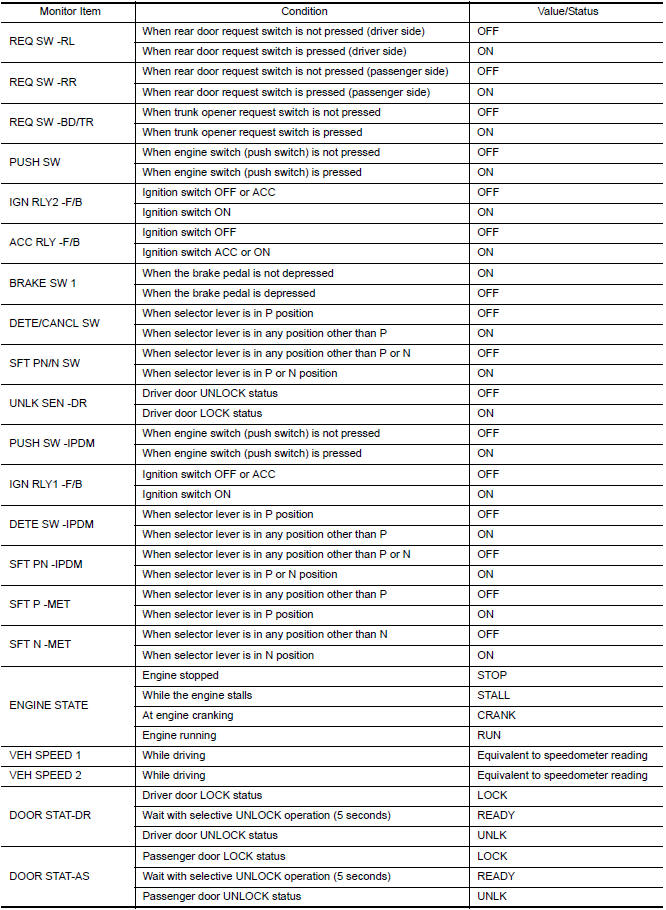
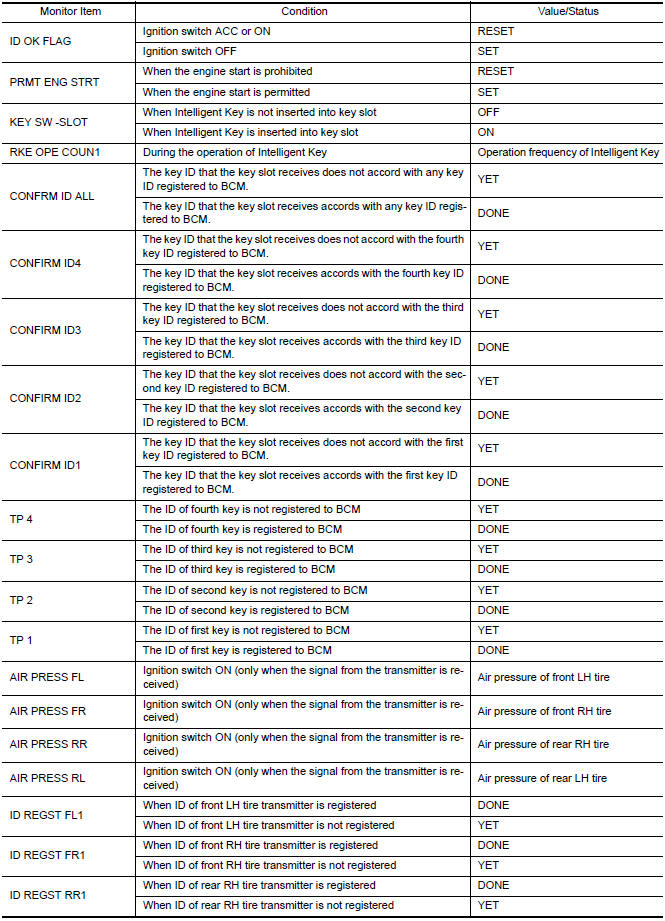
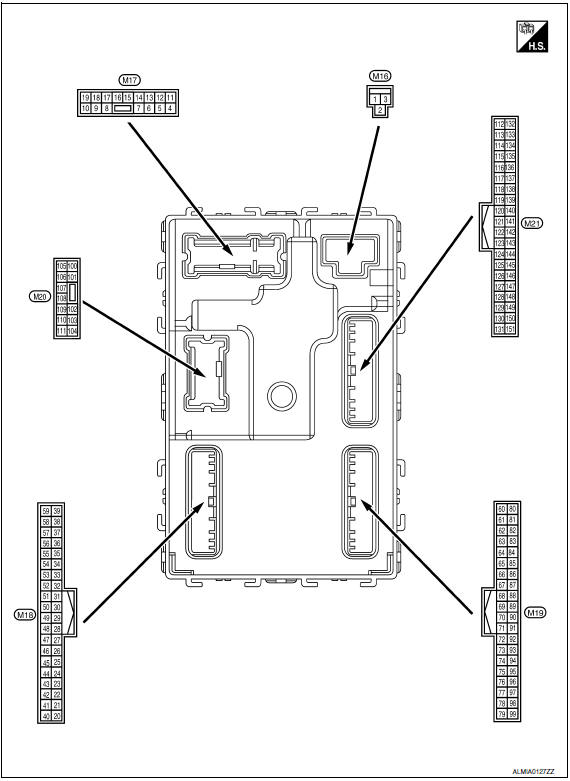
Terminal Layout
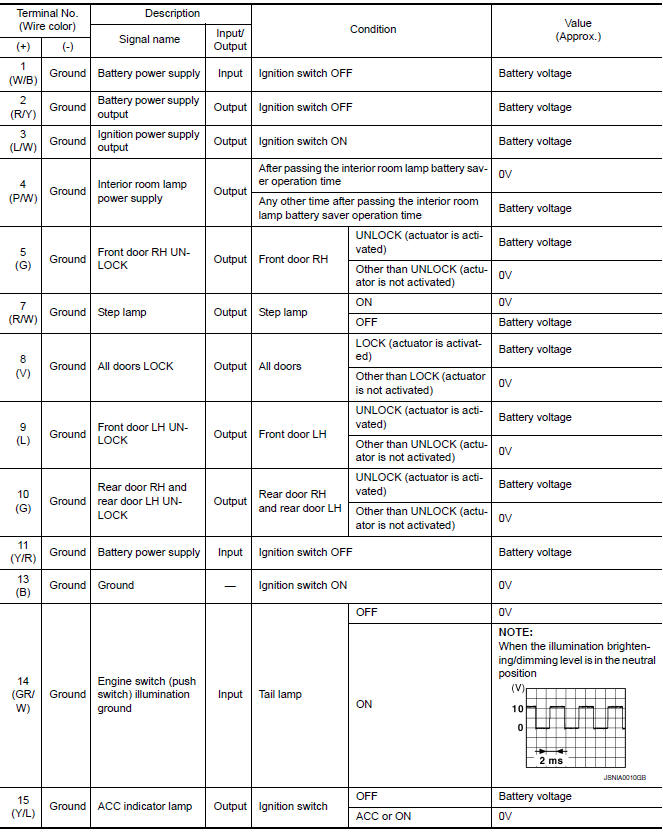
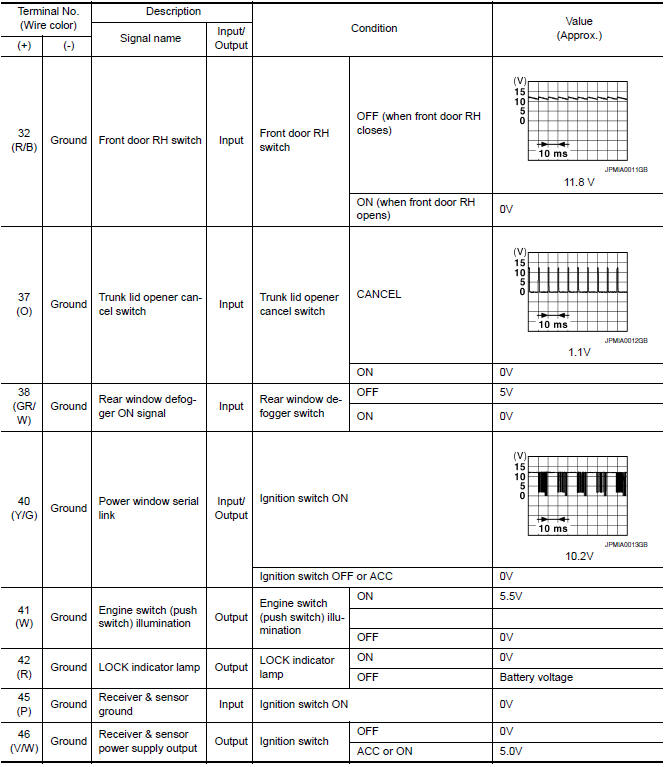
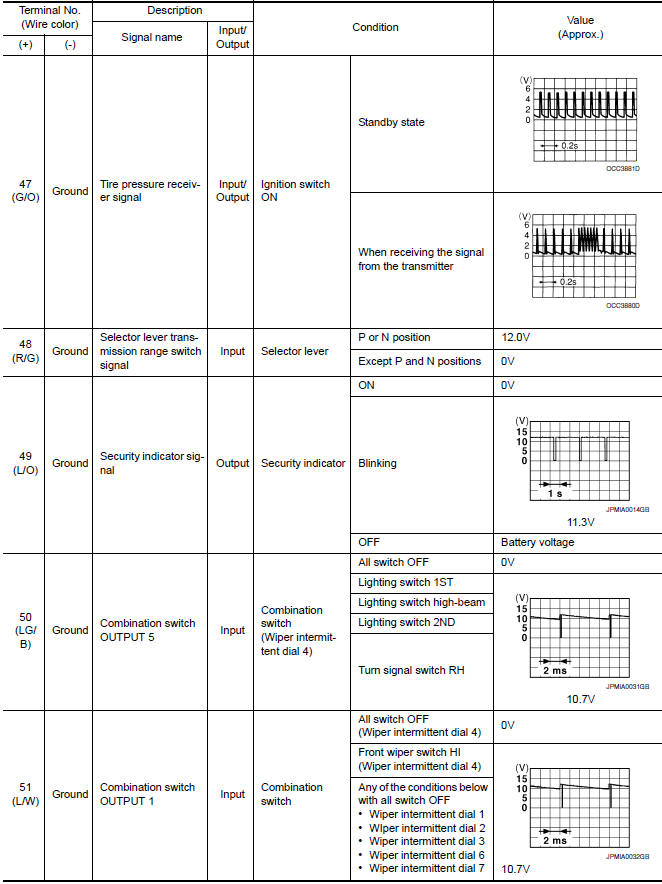
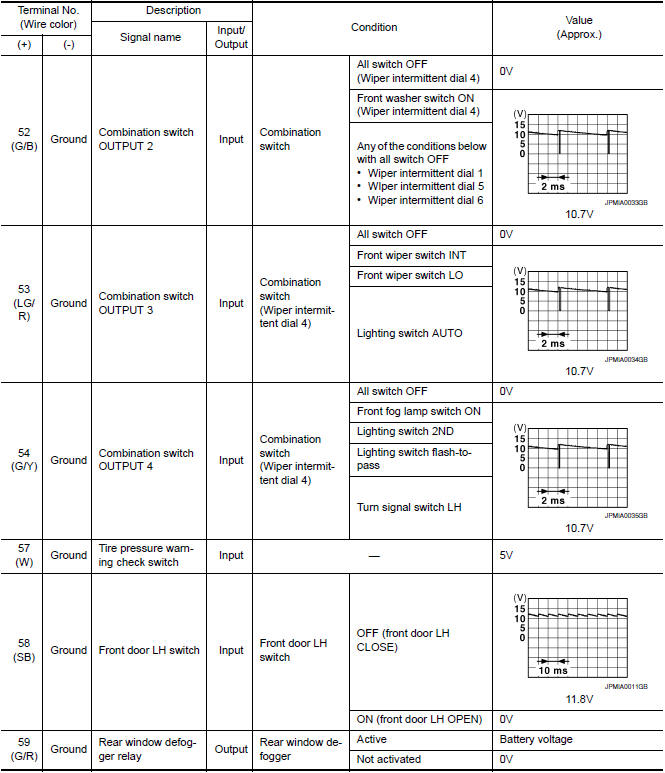
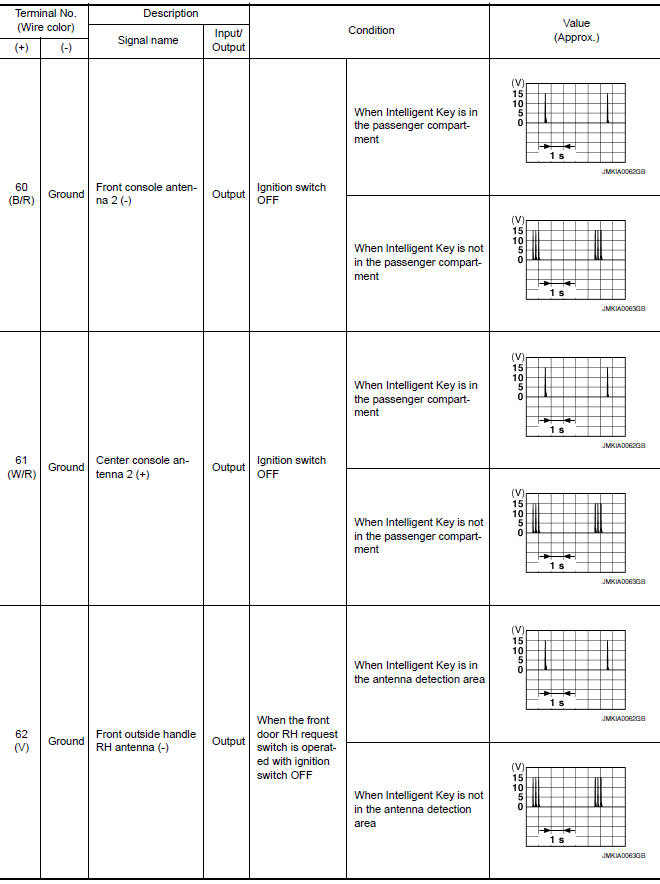
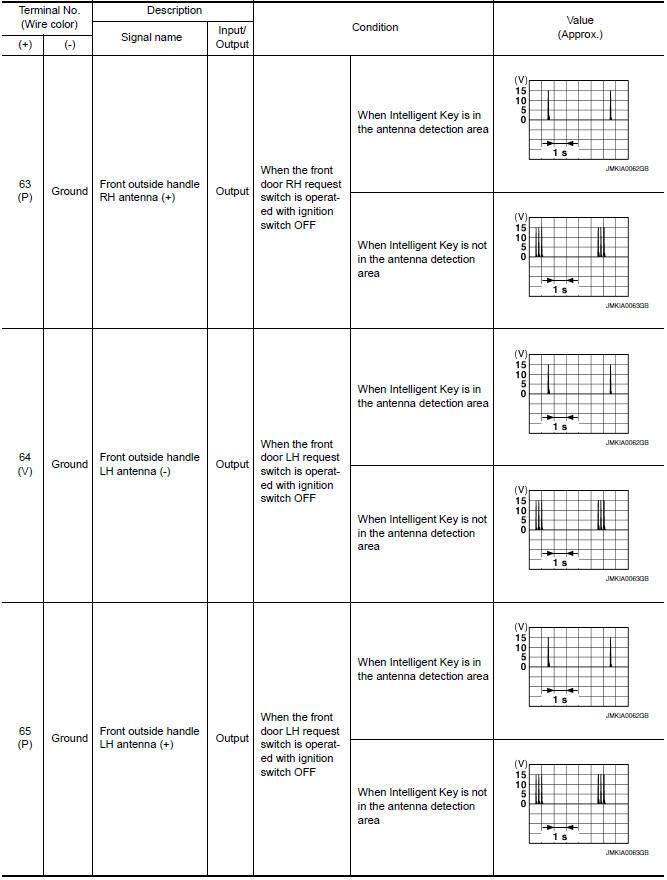
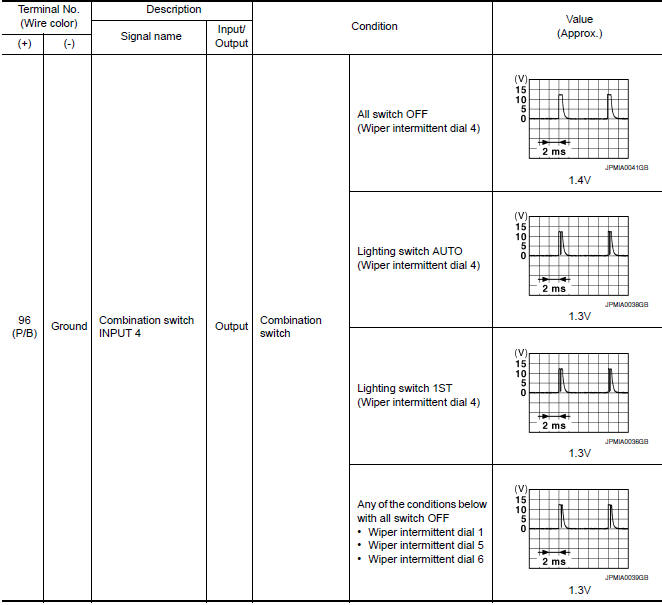
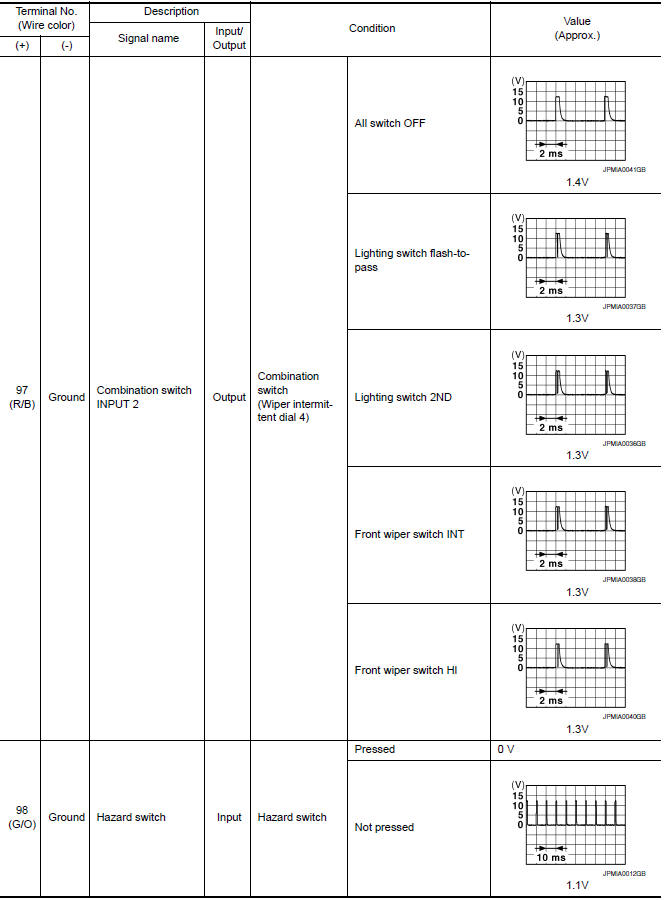
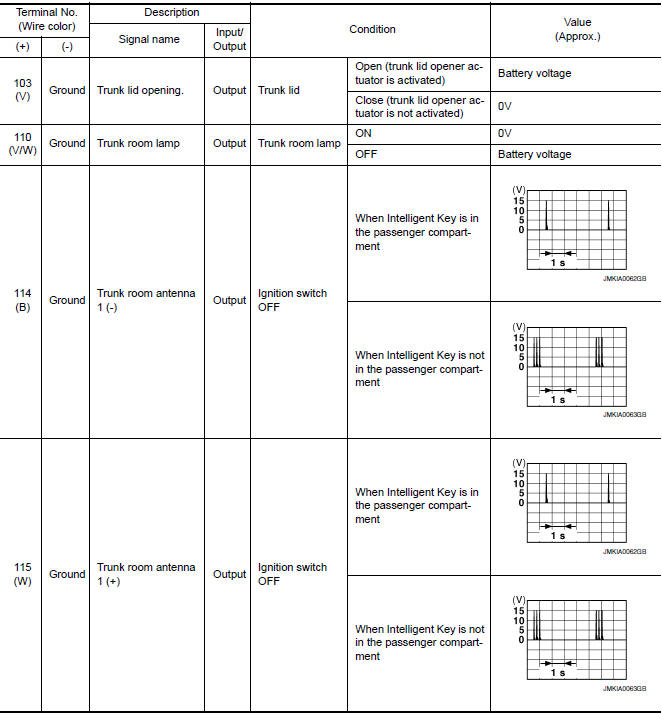
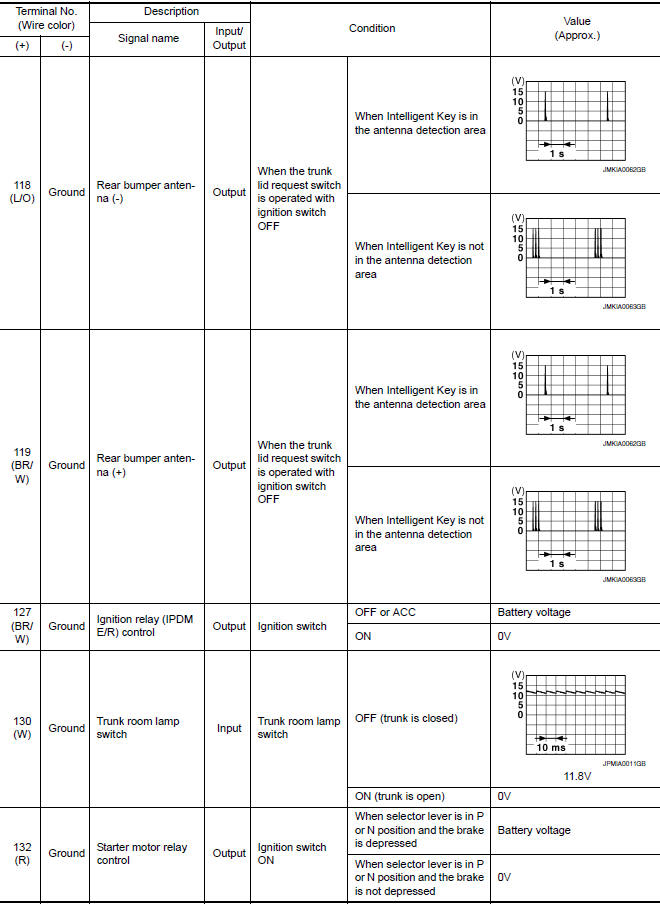
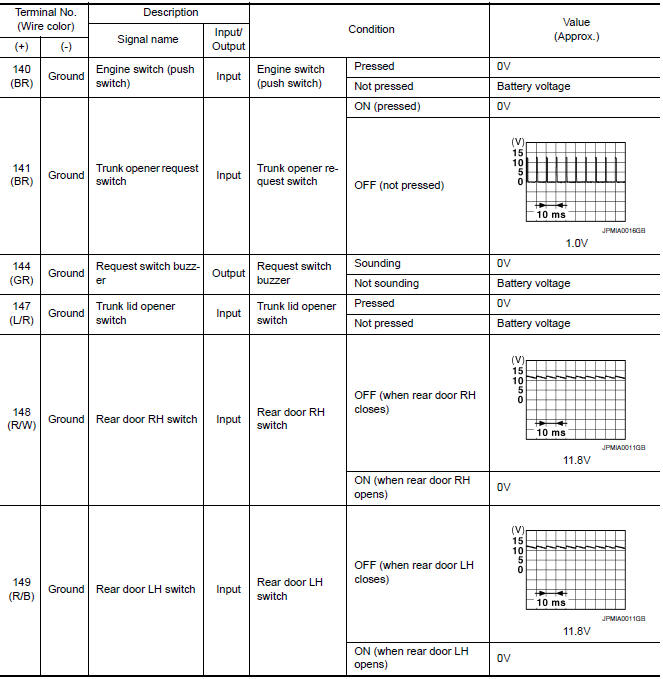
Physical Values
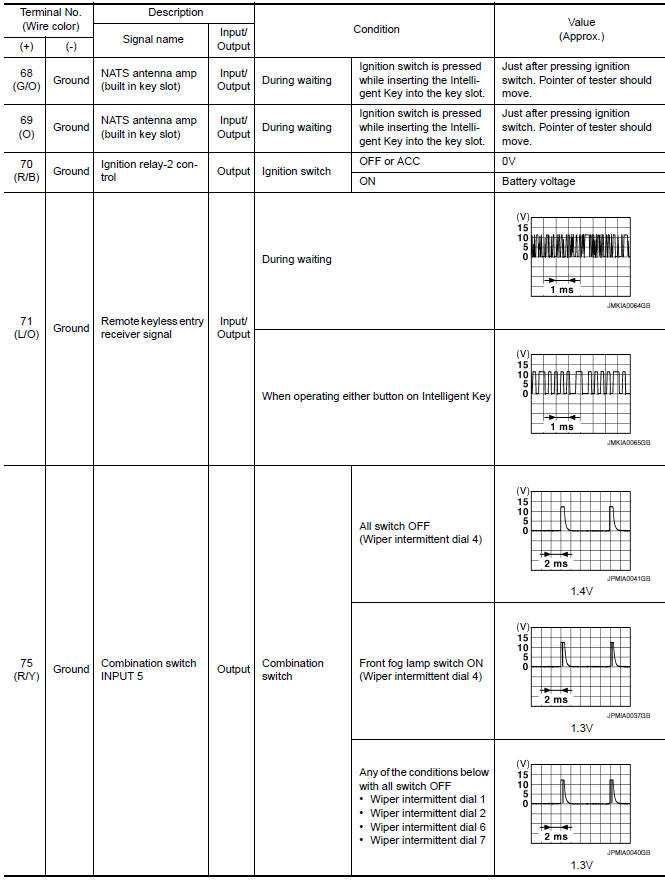
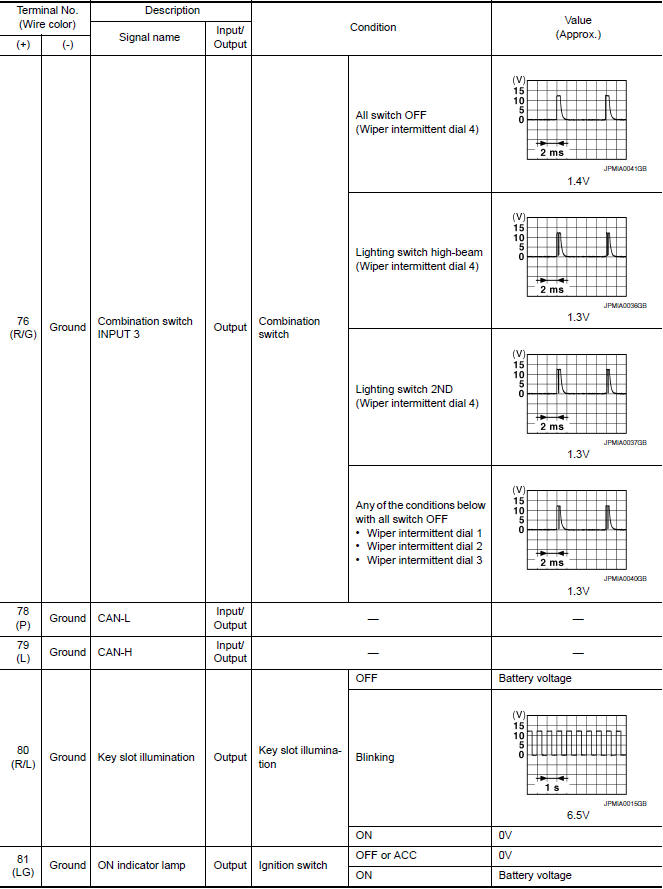
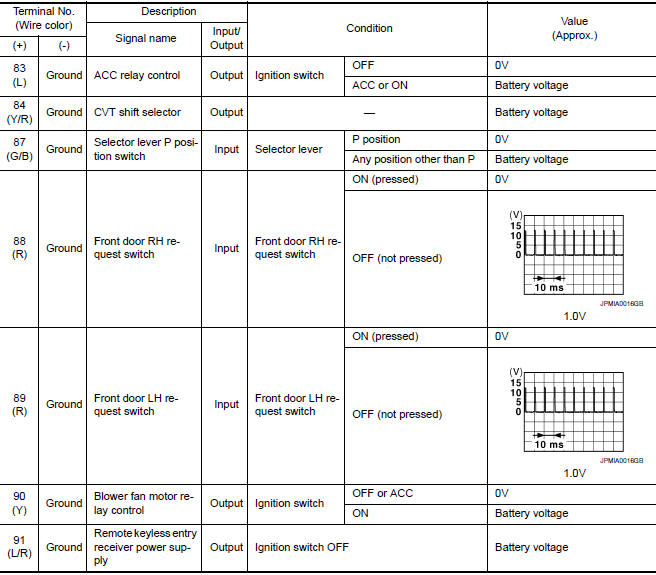
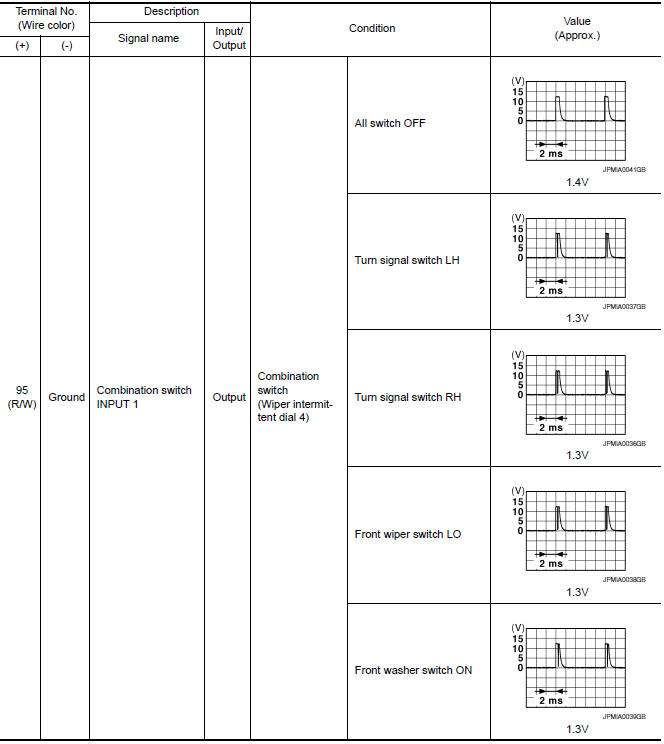
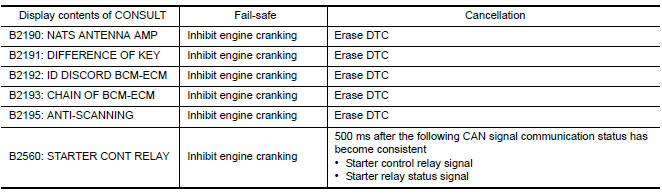
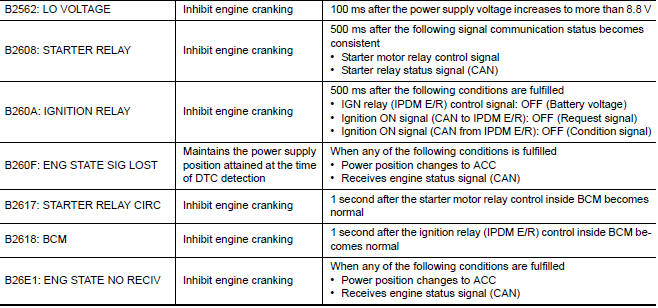
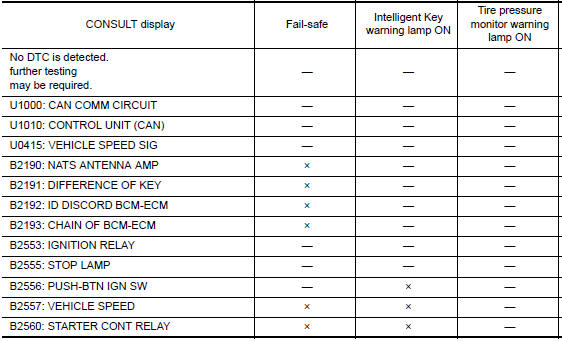
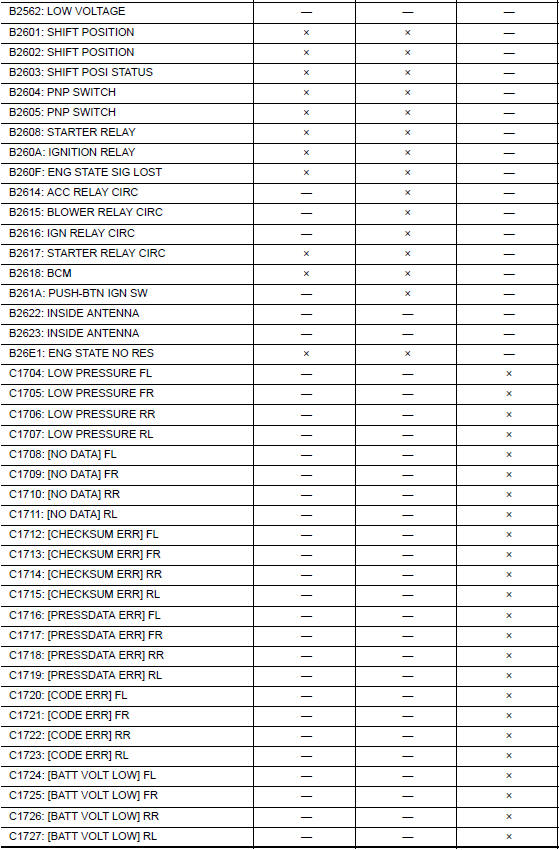
Fail Safe
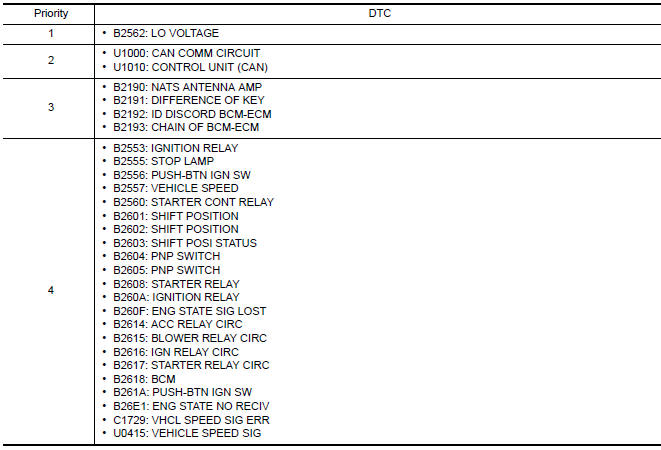
DTC Inspection Priority Chart
If some DTCs are displayed at the same time, perform inspections one by one based on the following priority chart.
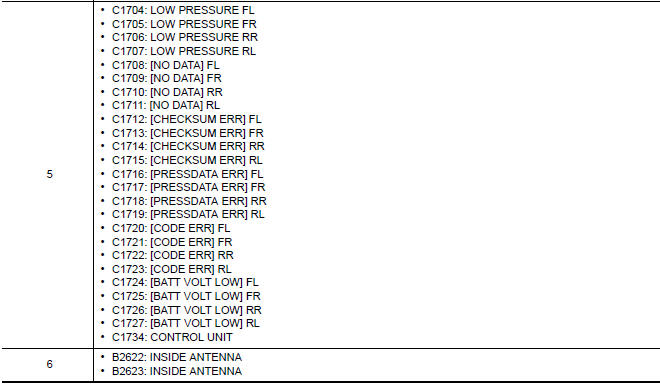
DTC Index
NOTE: Details of time display
- CRNT: Displays when there is a malfunction now or after returning to the normal condition until turning ignition switch OFF → ON again.
- 1 - 39: Displayed if any previous malfunction is present when current condition is normal. It increases 1 → 2 → 3...38 → 39 after returning to the normal condition whenever ignition switch OFF → ON. The counter remains at 39 even if the number of cycles exceeds it. It is counted from 1 again when turning ignition switch OFF → ON after returning to the normal condition if the malfunction is detected again.


 IPDM E/R (intelligent power distribution module engine room)
Reference Value
VALUES ON THE DIAGNOSIS TOOL
TERMINAL LAYOUT
PHYSICAL VALUES
Fail Safe
CAN COMMUNICATION CONTROL
When CAN communication with ECM and BCM is impossible, IPDM E ...
Other materials:
Changing wheels and tires
Tire rotation
NISSAN recommends rotating the tires
every 5,000 miles (8,000 km).
For additional information on tire replacing
procedures, refer to "Flat tire" in the "In
case of emergency" section of this
manual.
As soon as possible, tighten the
wheel nuts to the specified torque
with ...
B2128 UART communication line
Description
Driver seat control unit performs UART communication with the automatic drive
positioner control unit using 1 communication line. Driver seat control unit
receives the operation signals of ADP steering switch, door mirror remote
control switch and the position signals of tilt sens ...
B2560 starter control relay
Description
Starter control relay, integrated in IPDM E/R, permits
the starter relay operation when in N or P position. It is
installed in parallel with the starter relay.
DTC Logic
DTC DETECTION LOGIC
NOTE:
If DTC B2560 is displayed with DTC
U1000, first perform the trouble diagno ...
Nissan Maxima Owners Manual
- Illustrated table of contents
- Safety-Seats, seat belts and supplemental restraint system
- Instruments and controls
- Pre-driving checks and adjustments
- Monitor, climate, audio, phone and voice recognition systems
- Starting and driving
- In case of emergency
- Appearance and care
- Do-it-yourself
- Maintenance and schedules
- Technical and consumer information
Nissan Maxima Service and Repair Manual

0.0087