
Nissan Maxima Service and Repair Manual: Preparation
PREPARATION
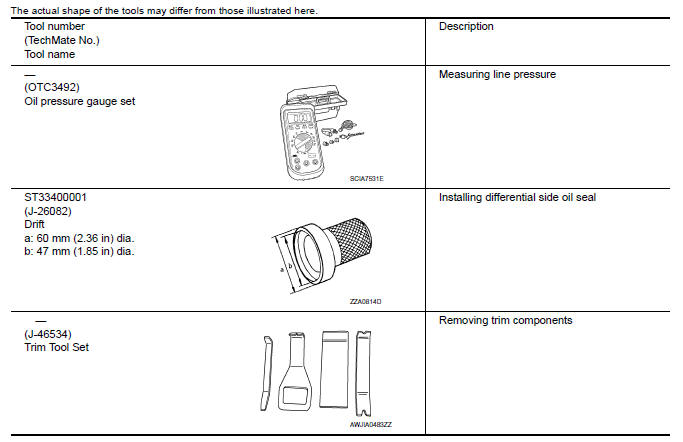
Special Service Tools
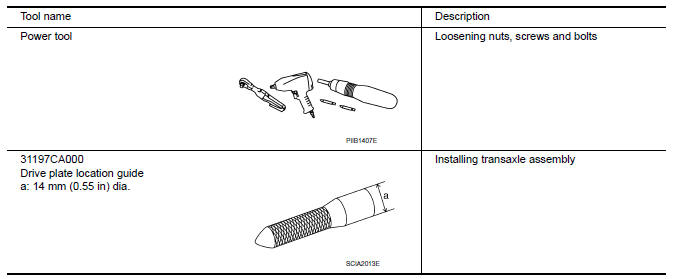
Commercial Service Tools
 Precaution
PRECAUTIONS
Precaution for Supplemental Restraint System (SRS) "AIR
BAG" and "SEAT BELT
PRE-TENSIONER"
The Supplemental Restraint System such as "AIR BAG" and
"SEAT BELT PRE-TENSIONER", used a ...

Other materials:
Reclining motor
Description
The reclining motor is installed to the seatback assembly.
The reclining motor is activated with the driver seat control unit.
The seatback is reclined forward/backward by changing the rotation
direction of reclining motor.
Component Function Check
1. CHECK FUNCTION
Se ...
High-mounted stop lamp
Exploded View
High-mounted stop lamp cover
High-mounted stop lamp bulb
Removal and Installation
REMOVAL
Slide the high-mounted stop lamp rearward on the parcel shelf to
give clearance to the front locking tabs.
Lift the front of the high-mounted stop lamp up and slide it forward ...
M&A branch line circuit
Diagnosis Procedure
1.CHECK CONNECTOR
Turn the ignition switch OFF.
Disconnect the battery cable from the negative terminal.
Check the terminals and connectors of the combination meter for
damage, bend and loose connection
(unit side and connector side).
2.CHECK HARNESS FOR OPEN CI ...
Nissan Maxima Owners Manual
- Illustrated table of contents
- Safety-Seats, seat belts and supplemental restraint system
- Instruments and controls
- Pre-driving checks and adjustments
- Monitor, climate, audio, phone and voice recognition systems
- Starting and driving
- In case of emergency
- Appearance and care
- Do-it-yourself
- Maintenance and schedules
- Technical and consumer information
Nissan Maxima Service and Repair Manual

0.0091