
Nissan Maxima Service and Repair Manual: ECU diagnosis information
BCM (BODY CONTROL MODULE)
Reference Value
NOTE: The Signal Tech II Tool (J-50190) can be used to perform the following functions. Refer to the Signal Tech II User Guide for additional information.
- Activate and display TPMS transmitter IDs
- Display tire pressure reported by the TPMS transmitter
- Read TPMS DTCs
- Register TPMS transmitter IDs
- Check Intelligent Key relative signal strength
- Confirm vehicle Intelligent Key antenna signal strength
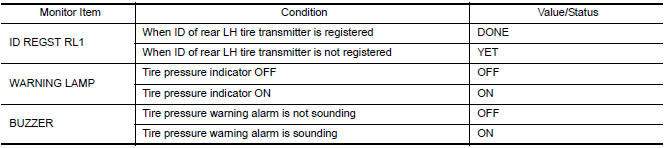
VALUES ON THE DIAGNOSIS TOOL
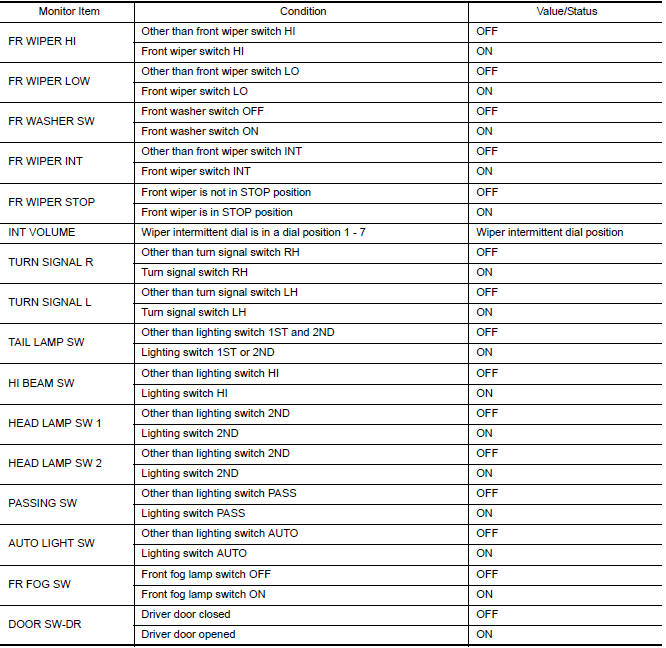
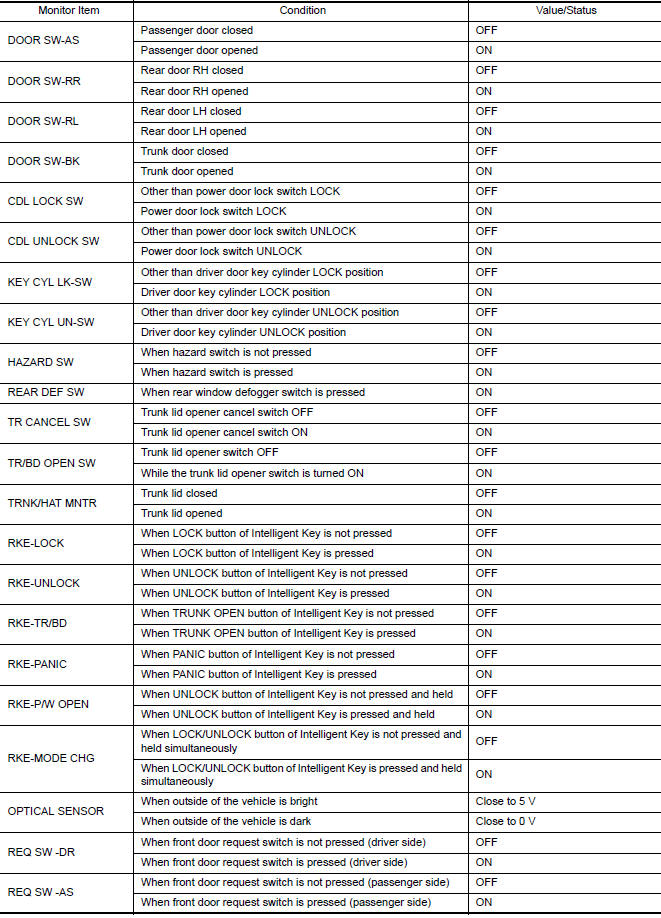
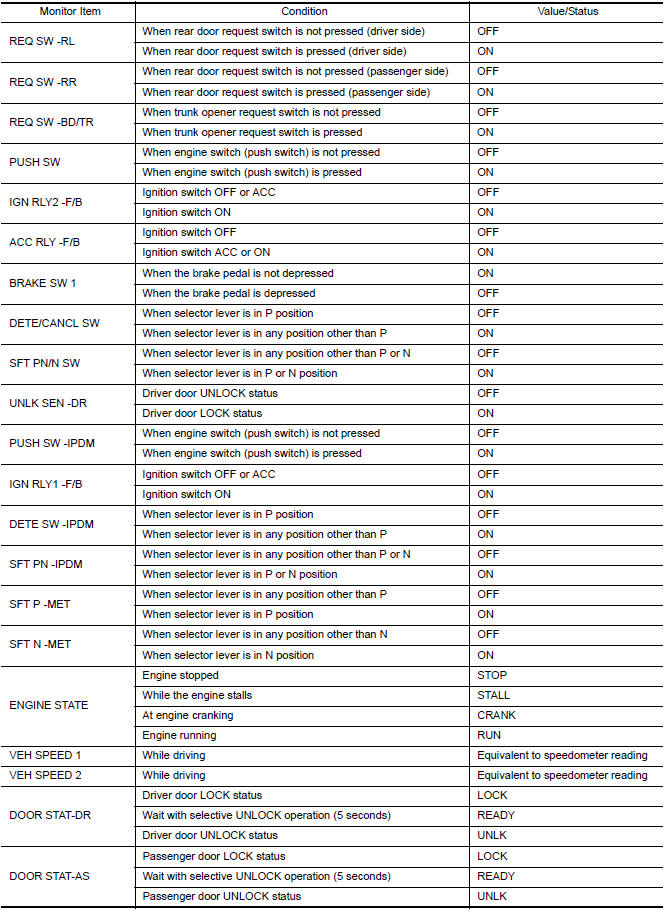
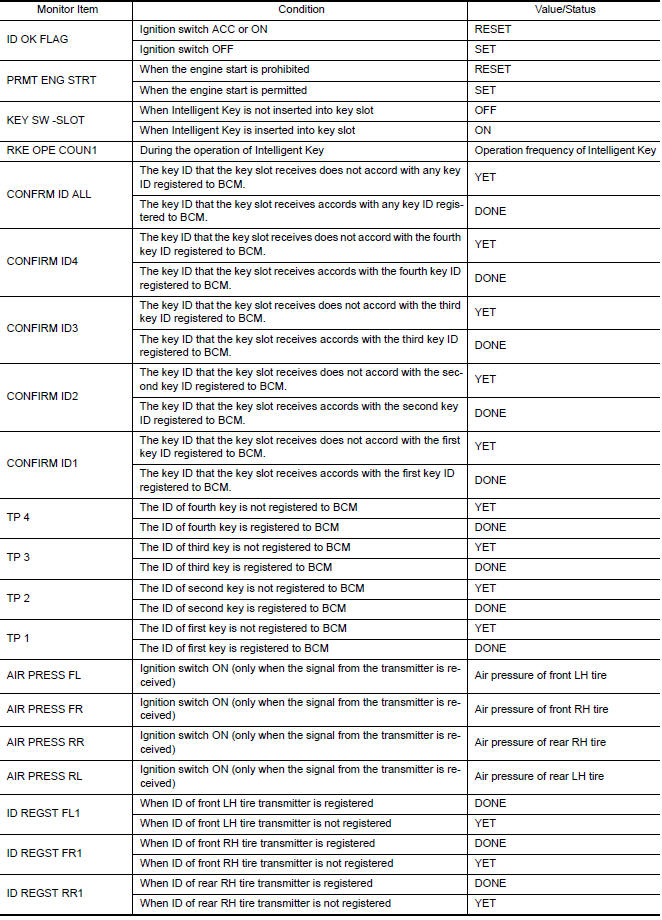
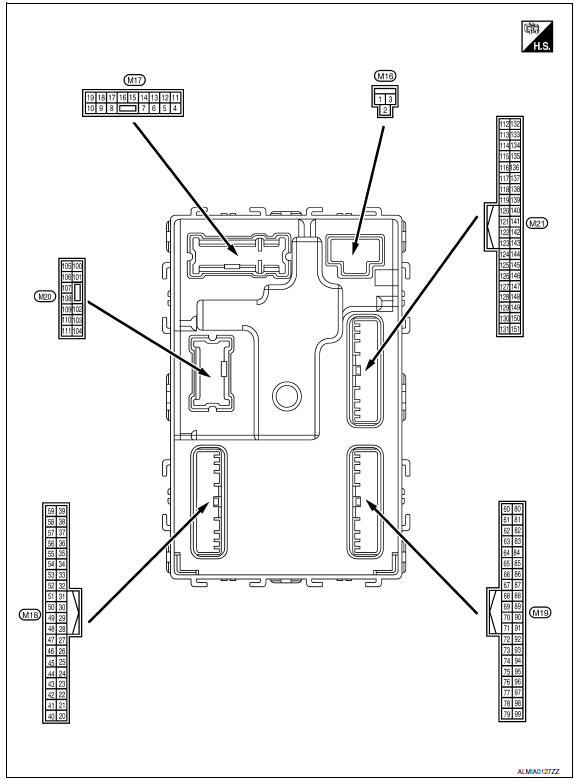
Terminal Layout
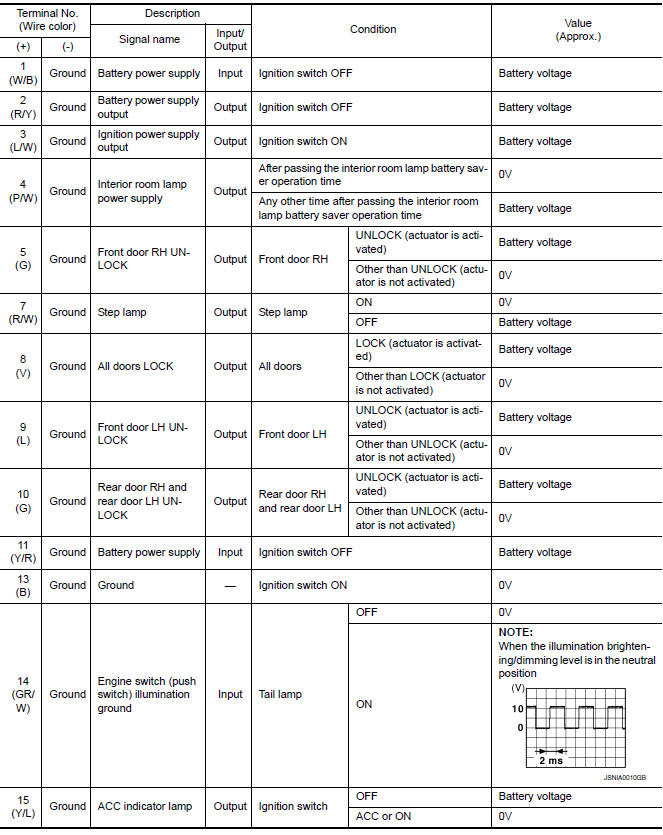
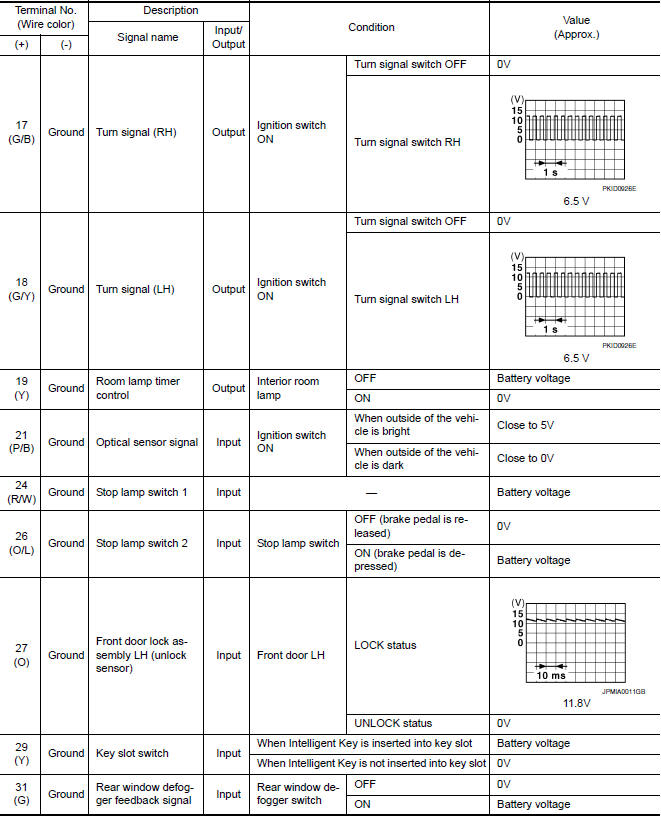
Physical Values
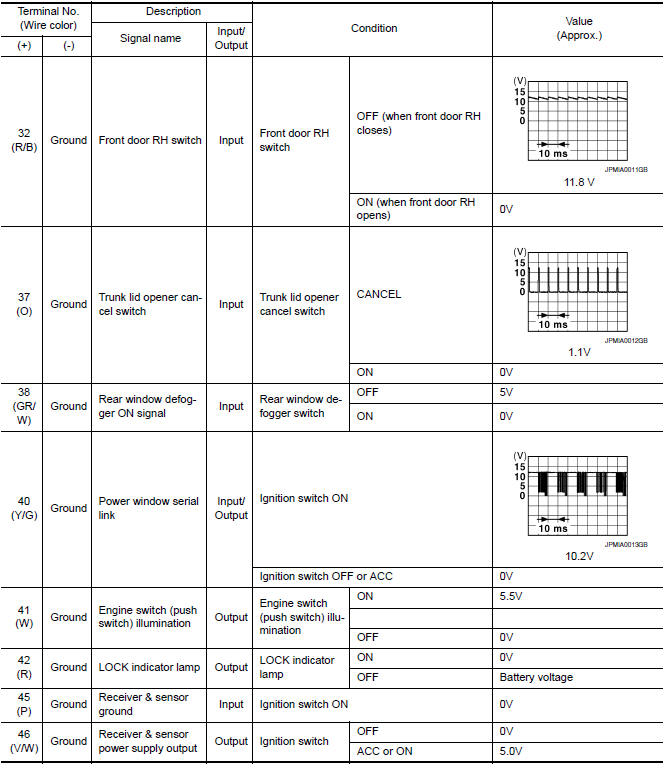
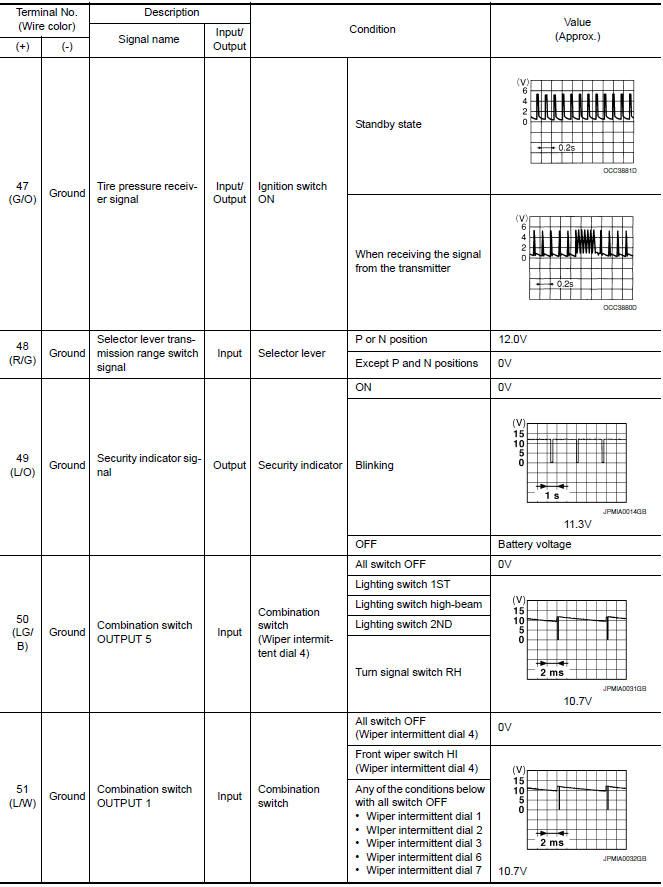
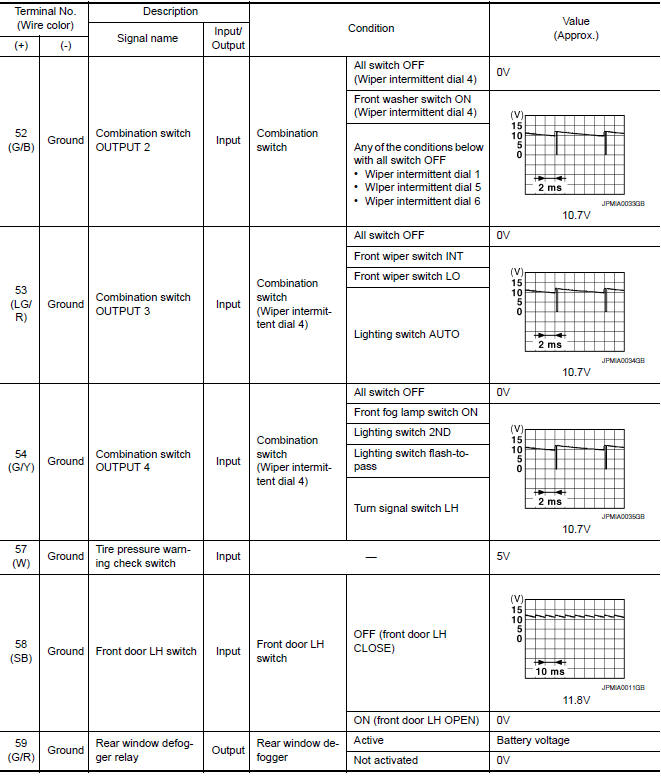
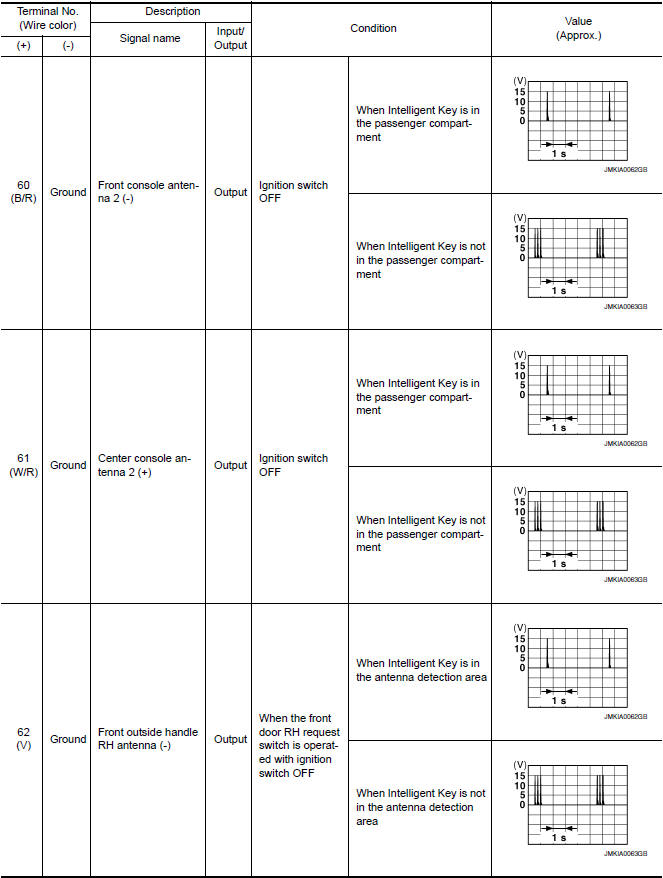
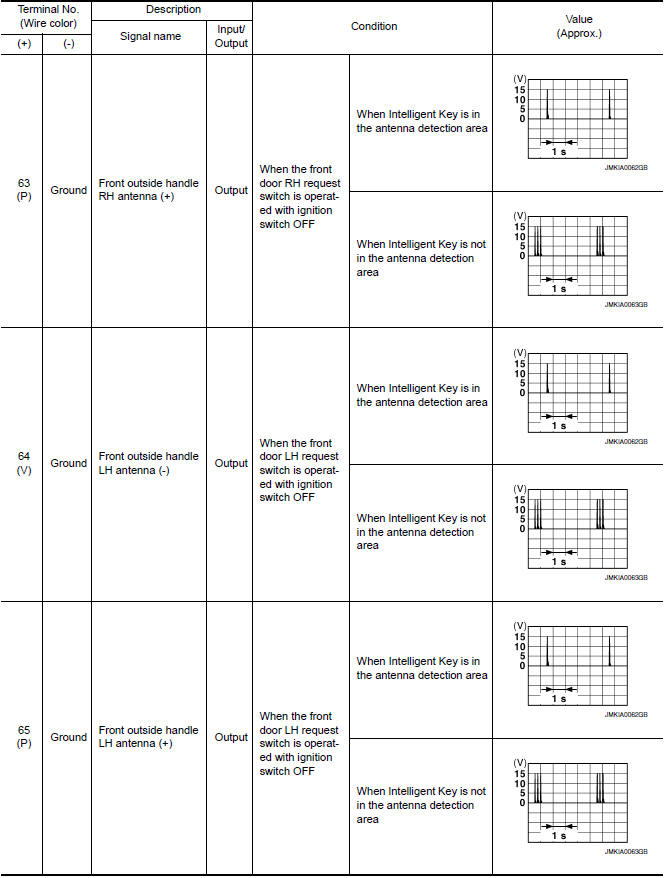
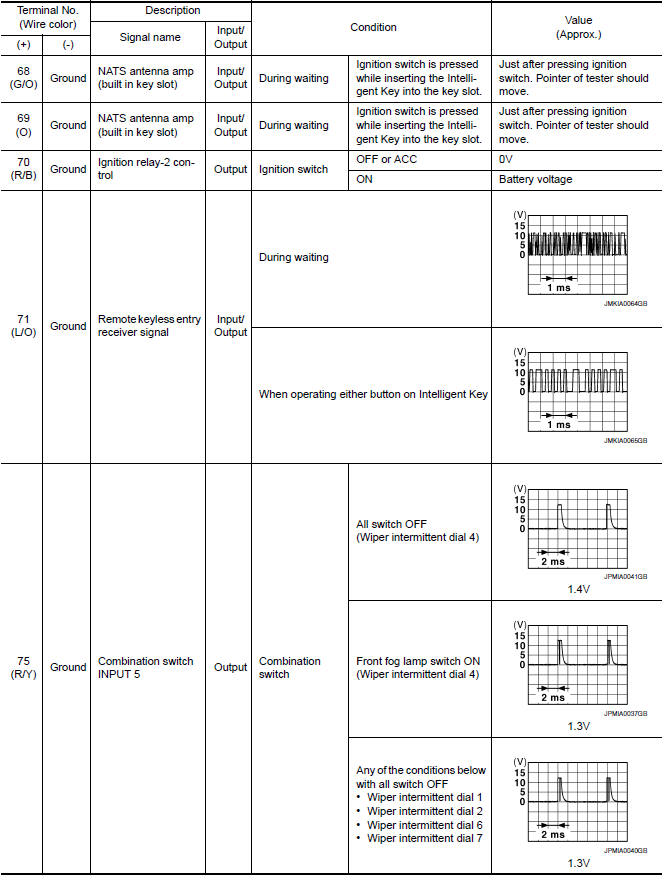
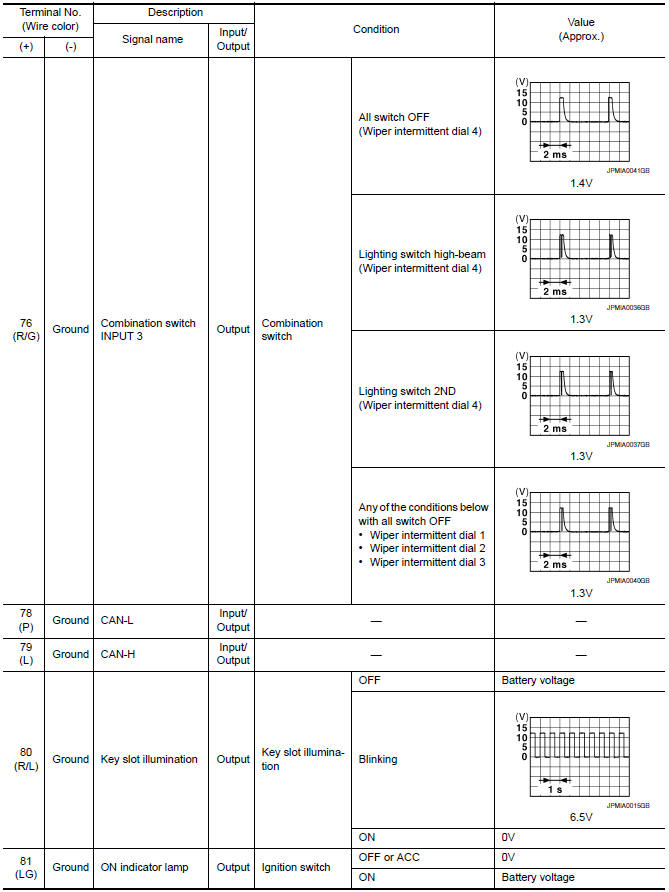
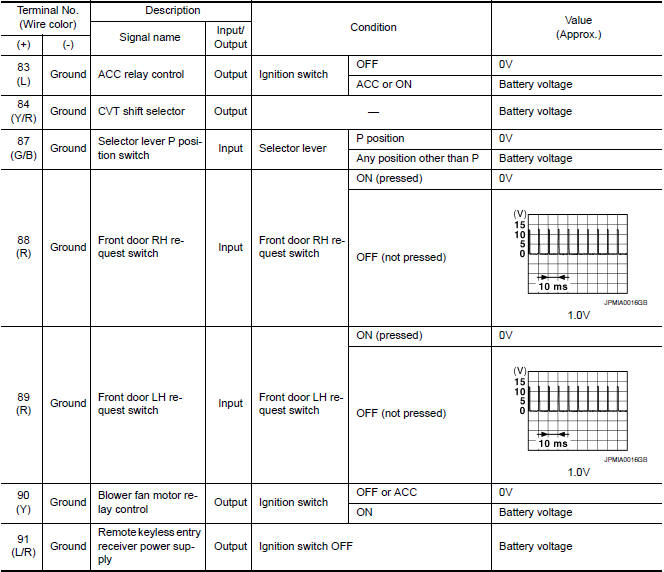
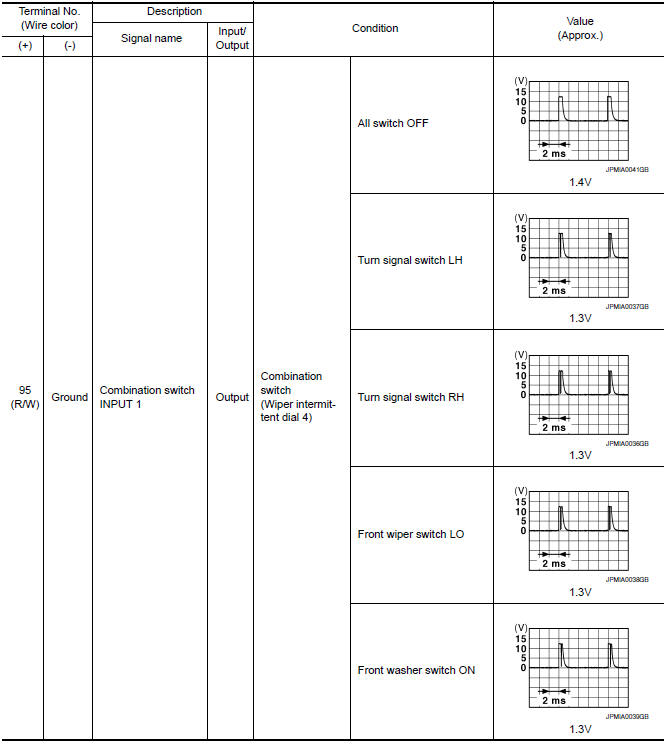
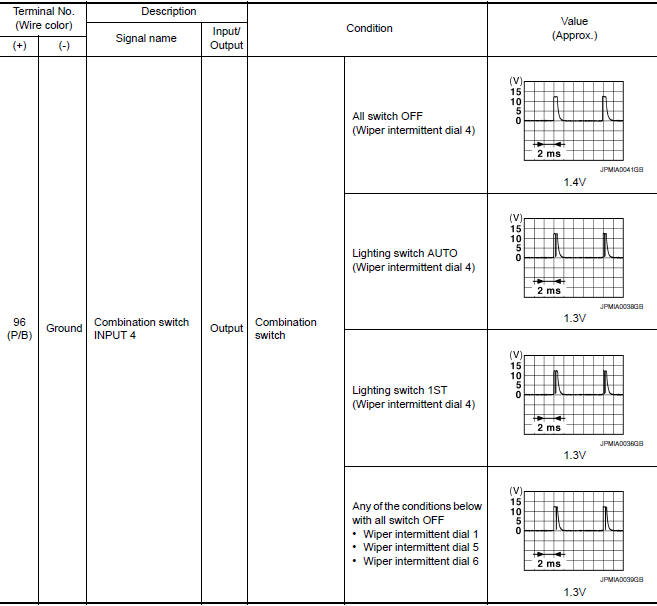
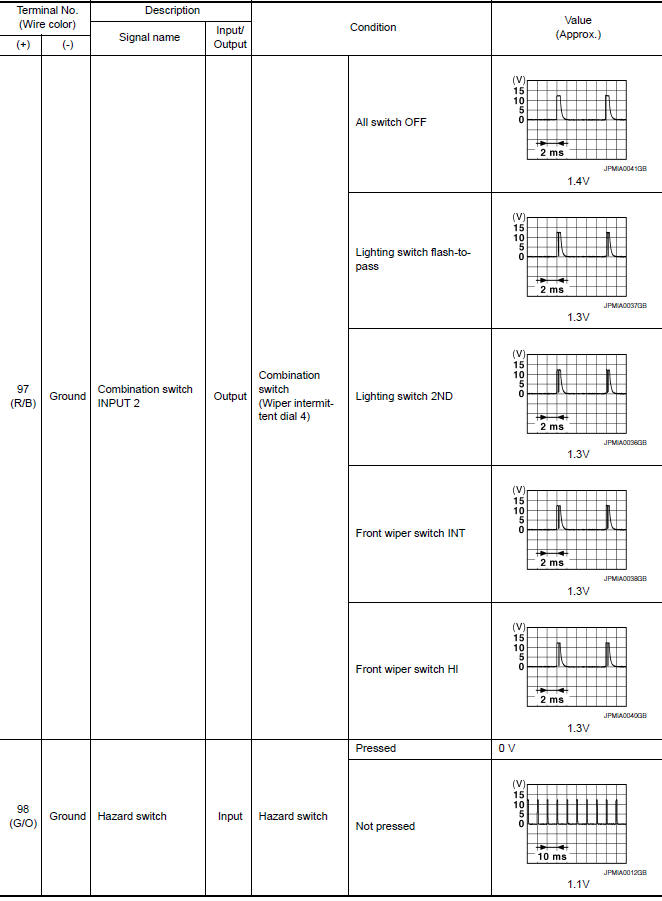
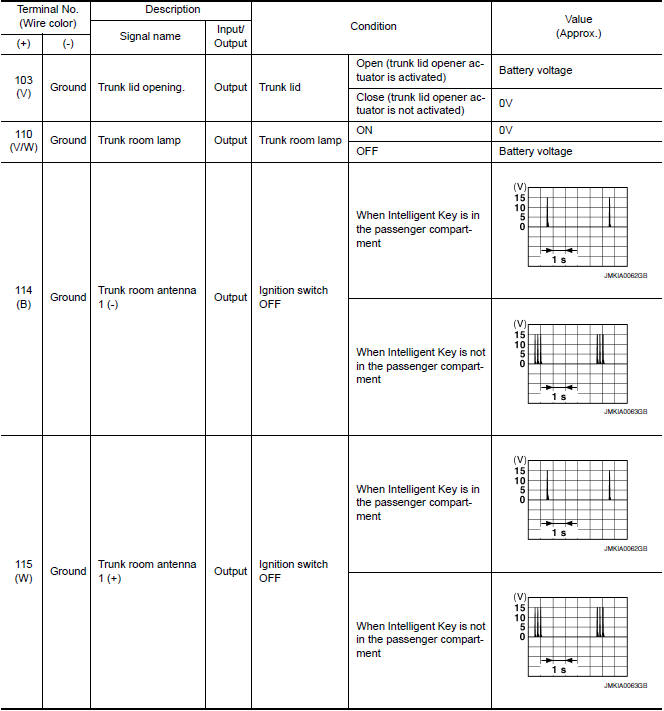
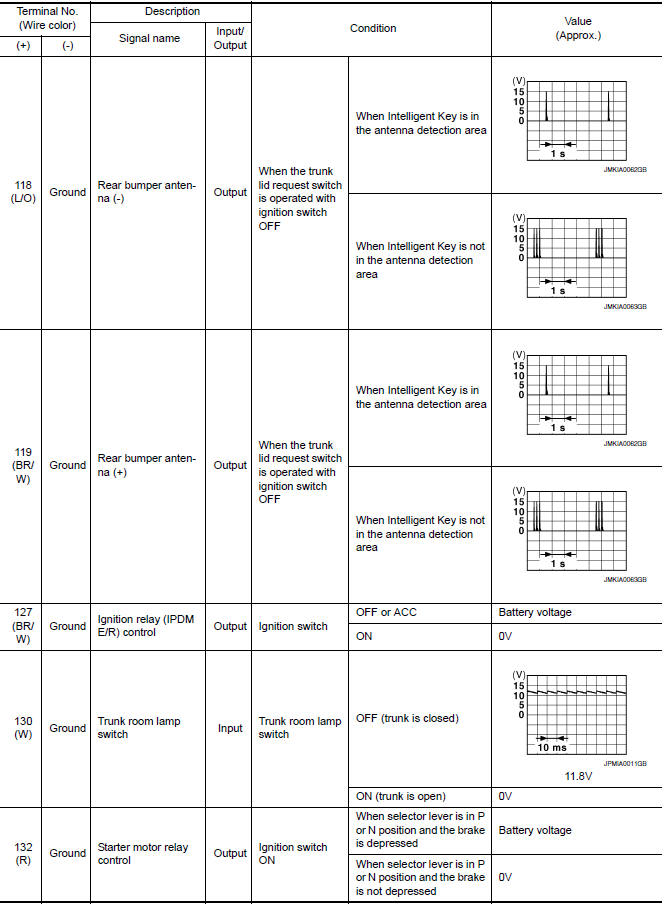
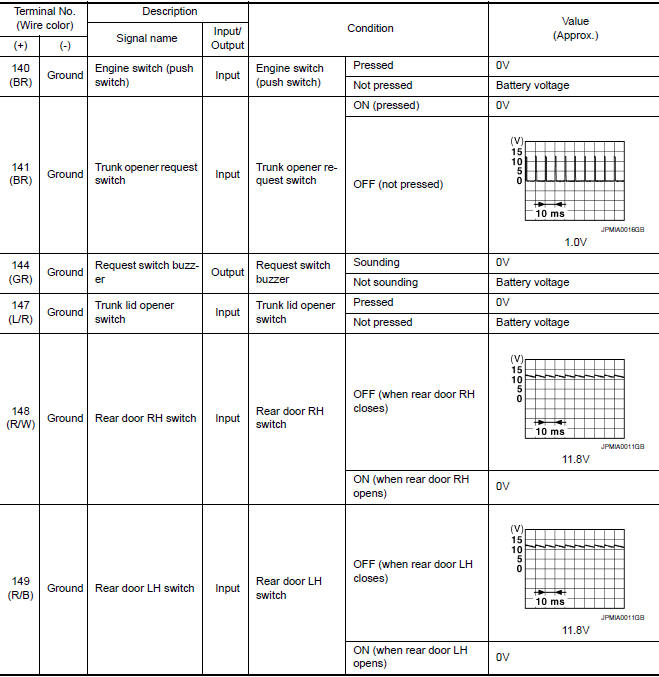
Self-Diagnosis (With CONSULT)
NOTE: The Signal Tech II Tool (J-50190) can be used to perform the following functions. Refer to the Signal Tech II User Guide for additional information.
- Activate and display TPMS transmitter IDs
- Display tire pressure reported by the TPMS transmitter
- Read TPMS DTCs
- Register TPMS transmitter IDs
FUNCTION
Self-Diagnostic Results Mode
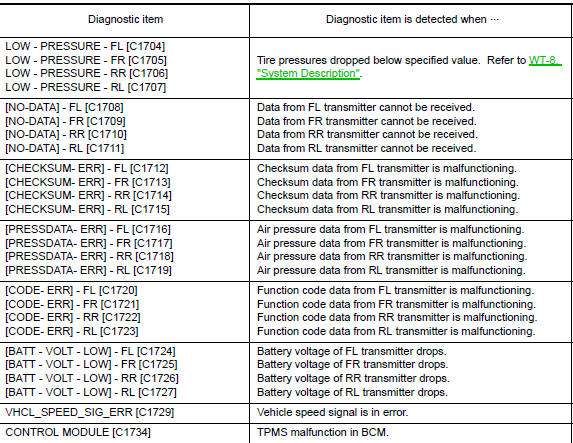
NOTE: Before performing the self-diagnosis, be sure to register the ID or else the actual malfunction location may be different from that displayed on CONSULT.
Self-Diagnosis (Without CONSULT)
NOTE: The Signal Tech II Tool (J-50190) can be used to perform the following functions. Refer to the Signal Tech II User Guide for additional information.
- Activate and display TPMS transmitter IDs
- Display tire pressure reported by the TPMS transmitter
- Read TPMS DTCs
- Register TPMS transmitter IDs
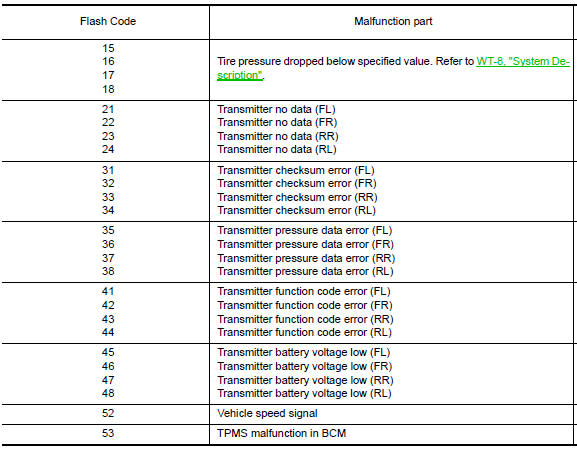
SELF DIAGNOSTIC PROCEDURE (WITHOUT CONSULT)
- Turn ignition switch ON.
- Ground the tire pressure warning check connector to initiate self diagnosis.
- Compare the flashing pattern with the flash code chart below.
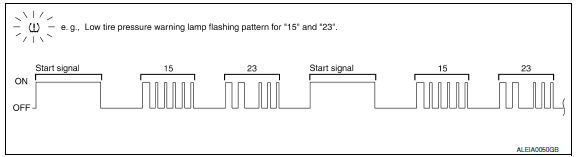
NOTE: The system is normal when the low tire pressure warning lamp flashes 5 times and continues repeating. Selfdiagnosis results are erased automatically by turning the ignition switch OFF.
 C1734 control unit
Description
An internal malfunction has been detected in the TPMS function of the BCM.
DTC Logic
NOTE: The Signal Tech II Tool (J-50190) can
be used to perform the following functions. Refer to t ...
 Wiring diagram
TIRE PRESSURE MONITORING SYSTEM
Wiring Diagram
...
Other materials:
P0607 ECM
Description
CAN (Controller Area Network) is a serial communication line for real time
application. It is an on-vehicle multiplex
communication line with high data communication speed and excellent error
detection ability. Many electronic
control units are equipped onto a vehicle, and each ...
B2110 transmission range switch
Description
IPDM E/R confirms the shift position with the following
signals.
Transmission range switch
Shift position signal from BCM (CAN)
DTC Logic
DTC DETECTION LOGIC
NOTE:
If DTC B2110 is displayed with DTC
U1000, first perform the trouble diagnosi ...
Fog lights
Replacing the fog light bulb
If fog light bulb replacement is required, it is
recommended that you visit a NISSAN dealer for
this service.
CAUTION
High pressure halogen gas is sealed
inside the halogen bulb. The bulb may
break if the glass envelope is scratched
or the bulb is dropped.
...
Nissan Maxima Owners Manual
- Illustrated table of contents
- Safety-Seats, seat belts and supplemental restraint system
- Instruments and controls
- Pre-driving checks and adjustments
- Monitor, climate, audio, phone and voice recognition systems
- Starting and driving
- In case of emergency
- Appearance and care
- Do-it-yourself
- Maintenance and schedules
- Technical and consumer information
Nissan Maxima Service and Repair Manual

0.0121