
Nissan Maxima Service and Repair Manual: Preparation
PREPARATION
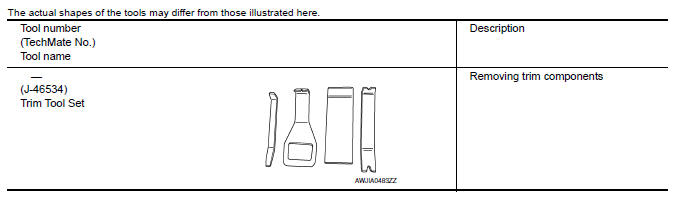
Special Service Tool
 Precaution
PRECAUTIONSPrecaution for Supplemental
Restraint System (SRS) "AIR BAG" and "SEAT BELT
PRE-TENSIONER"
The Supplemental Restraint System such as "AIR BAG" and
"SEAT BELT PRE-TENSIONER", used alo ...

Other materials:
Normal operating condition
Description
NOTE:
For Navigation system operation information, refer to Navigation system Owner's
Manual.
BASIC OPERATIONS
NOTE:
Locations stored in the Address Book and other memory functions may be lost if
the vehicle's battery is disconnected
or becomes discharged. If thi ...
P0125 ECT sensor
Description
The engine coolant temperature sensor is used to detect the engine
coolant temperature. The sensor modifies a voltage signal from the
ECM. The modified signal returns to the ECM as the engine coolant
temperature input. The sensor uses a thermistor which is sensitive to
the c ...
Seat belt buckle switch signal circuit
Description
Transmits a seat belt buckle switch LH signal to the combination meter.
Component Function Check
1. CHECK COMBINATION METER INPUT SIGNAL
Start engine.
Monitor seat belt warning lamp while fastening and unfastening the
driver seat belt.
Diagnosis Procedure
Regarding Wiring ...
Nissan Maxima Owners Manual
- Illustrated table of contents
- Safety-Seats, seat belts and supplemental restraint system
- Instruments and controls
- Pre-driving checks and adjustments
- Monitor, climate, audio, phone and voice recognition systems
- Starting and driving
- In case of emergency
- Appearance and care
- Do-it-yourself
- Maintenance and schedules
- Technical and consumer information
Nissan Maxima Service and Repair Manual

0.0089