
Nissan Maxima Owners Manual: Opening the fuel-filler door
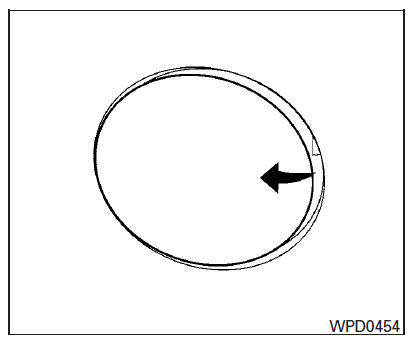
The fuel-filler door automatically unlocks when the driver's door is unlocked.
1. Unlock the fuel-filler door using one of the following operations.
- Unlock the driver's door with the Intelligent Key.
- Push the power door lock switch to the unlock position.
- Push the door handle request switch.
2. To open the fuel-filler door, push the right side of the fuel-filler door to release.
To lock, close the fuel-filler door securely and lock the doors.
NOTE:
The fuel-filler door will unlock using the key only when all doors are unlocked. Unlocking the driver's door will not unlock the fuel-filler door.
 Fuel-filler door
...
 Fuel-filler cap
WARNING
Gasoline is extremely flammable and
highly explosive under certain conditions.
You could be burned or seriously
injured if it is misused or mishandled.
Always stop the engine a ...
Other materials:
Changing engine oil filter
1. Park the vehicle on a level surface and apply
the parking brake.
2. Turn the engine off.
3. Place a large drain pan under the oil filter B .
4. Remove clips A from the right engine protector
located inside the right wheel well and
then remove protector. Remove oil filter B
with an ...
Memory Storage Function (Key-Link)
Use the following process to setup key-link:
1. Unlock the vehicle with the desired Intelligent
Key while the ignition is OFF.
2. Place the ignition in the ON position.
3. Within the "Settings" menu of the vehicle
information display, select "Key-Linked Settings"
and press the OK butto ...
Power supply and ground circuit
BCM (BODY CONTROL MODULE)
BCM (BODY CONTROL MODULE) : Diagnosis Procedure
1. CHECK FUSE AND FUSIBLE LINK
Check if the following BCM fuses or fusible link are blown.
2. CHECK POWER SUPPLY CIRCUIT
Turn ignition switch OFF.
Disconnect BCM.
Check voltage between BCM harness connector and ...
Nissan Maxima Owners Manual
- Illustrated table of contents
- Safety-Seats, seat belts and supplemental restraint system
- Instruments and controls
- Pre-driving checks and adjustments
- Monitor, climate, audio, phone and voice recognition systems
- Starting and driving
- In case of emergency
- Appearance and care
- Do-it-yourself
- Maintenance and schedules
- Technical and consumer information
Nissan Maxima Service and Repair Manual

0.0074