
Nissan Maxima Service and Repair Manual: Basic inspection
DIAGNOSIS AND REPAIR WORKFLOW
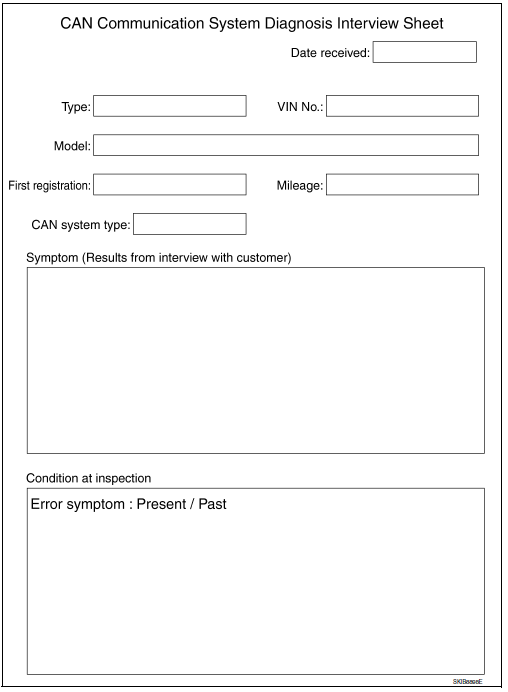
Interview Sheet
 Precaution
PRECAUTIONS
Precaution for Supplemental Restraint System (SRS) "AIR BAG" and "SEAT BELT
PRE-TENSIONER"
The Supplemental Restraint System such as "AIR BAG" and "SEAT BELT
PRE-TENSIONER", used alo ...
 System description
CAN COMMUNICATION SYSTEM
CAN System Specification Chart
Determine CAN system type from the following specification chart.
NOTE:
Refer to LAN-15, "Trouble Diagnosis Procedure" for how to use CAN
...
Other materials:
FEB system limitations
WARNING
Listed below are the system limitations for
the FEB system. Failure to operate the
vehicle in accordance with these system
limitations could result in serious injury or
death.
The FEB system cannot detect all vehicles
under all conditions.
The radar sensor does not detect the
follow ...
AMP on signal circuit
Description
When the audio system is turned on, a voltage signal is supplied from the
audio unit to the BOSE speaker amp. When this signal is received, the BOSE
speaker amp. will turn on.
Diagnosis Procedure
1.CHECK AMP ON SIGNAL (BOSE SPEAKER AMP)
Turn audio system ON.
Check volta ...
Waxing
Regular waxing protects the paint surface and
helps retain new vehicle appearance. Polishing is
recommended to remove built-up wax residue
and to avoid a weathered appearance before
re-applying wax.
A NISSAN dealer can assist you in choosing the
proper product.
Wax your vehicle only afte ...
Nissan Maxima Owners Manual
- Illustrated table of contents
- Safety-Seats, seat belts and supplemental restraint system
- Instruments and controls
- Pre-driving checks and adjustments
- Monitor, climate, audio, phone and voice recognition systems
- Starting and driving
- In case of emergency
- Appearance and care
- Do-it-yourself
- Maintenance and schedules
- Technical and consumer information
Nissan Maxima Service and Repair Manual

0.0251