
Nissan Maxima Service and Repair Manual: Display unit
Reference Value
TERMINAL LAYOUT
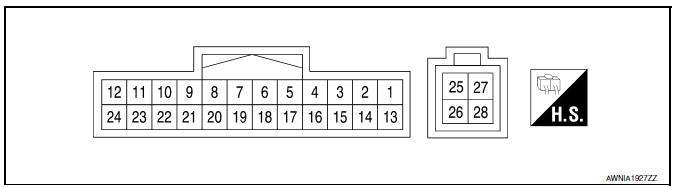
PHYSICAL VALUES
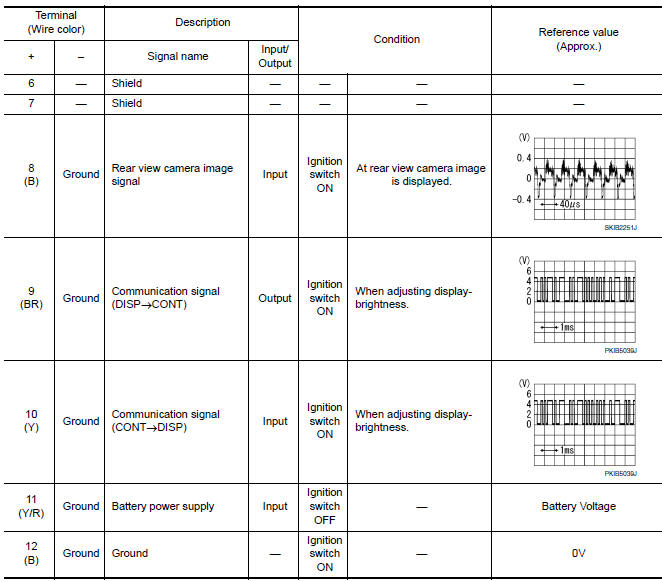
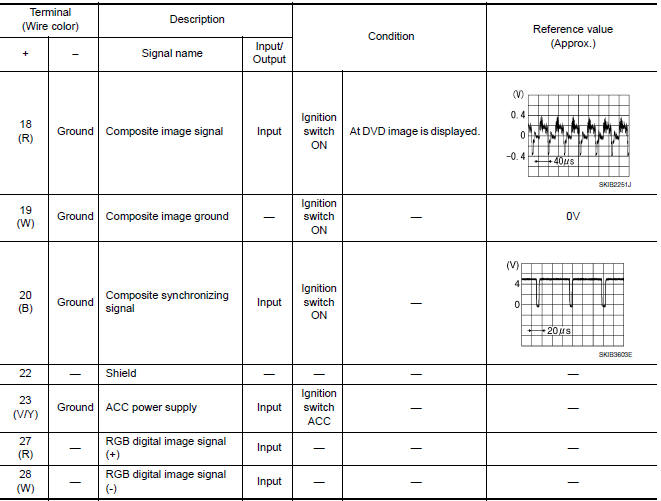
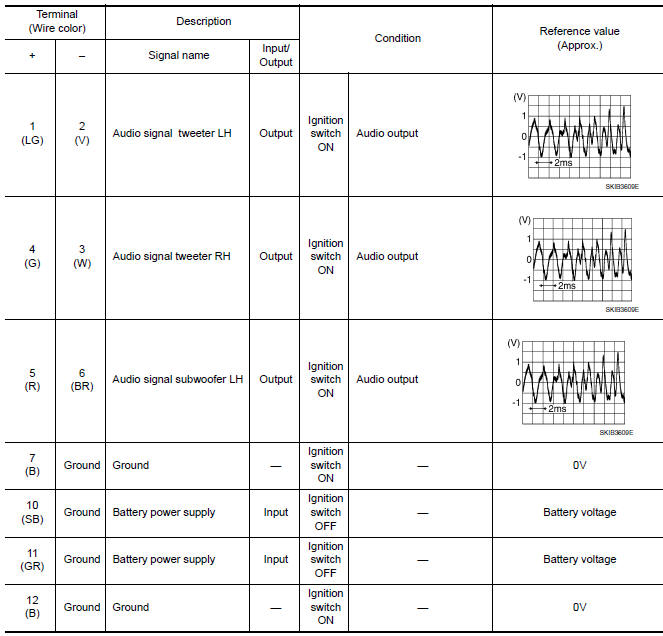
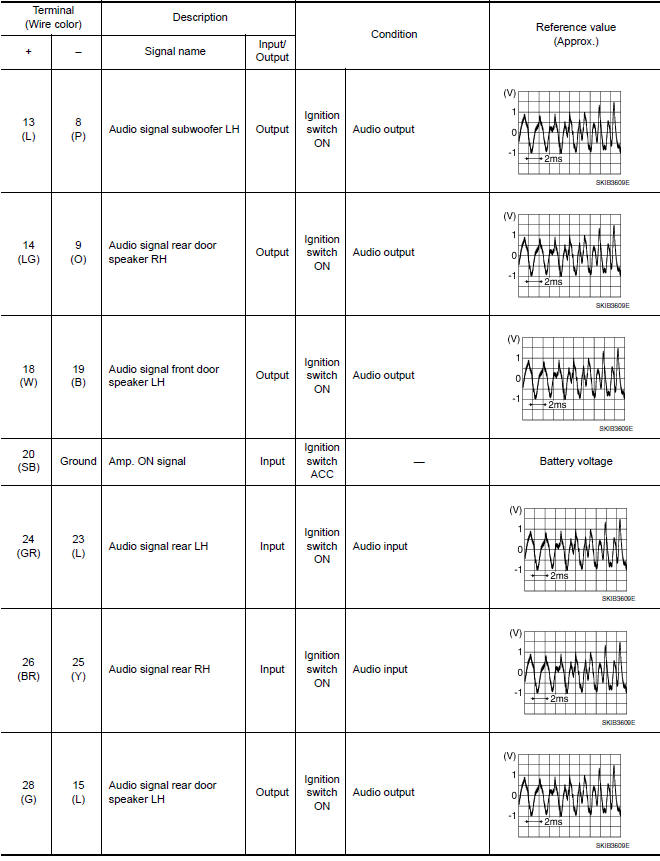
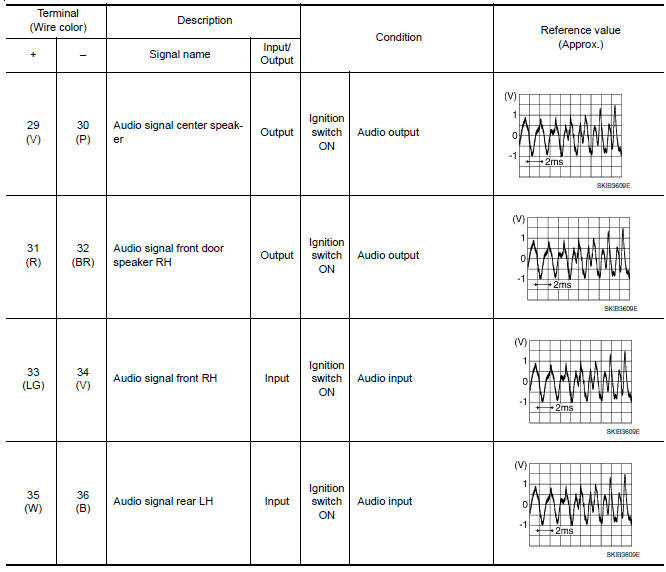
BOSE SPEAKER AMP
Reference Value
TERMINAL LAYOUT
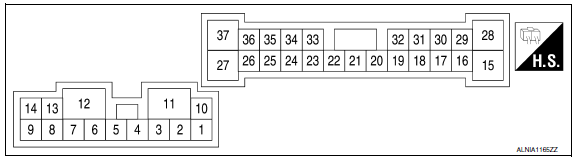
PHYSICAL VALUES
 AV control unit
Reference Value
VALUES ON THE DIAGNOSIS TOOL
CONSULT data monitor item
TERMINAL LAYOUT
PHYSICAL VALUES
DTC Index
SELF-DIAGNOSIS RESULTS DISPLAY ITEM
...
 Wiring diagram
COLOR DISPLAY
Wiring Diagram - With BOSE audio system With Navigation System
...
Other materials:
P2101 electric throttle control function
Description
Electric throttle control actuator consists of throttle control motor,
throttle position sensor, etc.
The throttle control motor is operated by the ECM and it opens and closes the
throttle valve.
The current opening angle of the throttle valve is detected by the throttle
pos ...
Precaution
Precaution for Supplemental Restraint System (SRS) "AIR BAG" and
"SEAT BELT PRE-TENSIONER"
The Supplemental Restraint System such as "AIR BAG" and "SEAT BELT
PRE-TENSIONER", used along with a front seat belt, helps to reduce the risk
or severity of injury to the driver and front passenger for ...
Hazard switch
Exploded View
Hazard switch
Cluster lid D
Removal and Installation
REMOVAL
Remove cluster lid D. Refer to IP-18, "Removal and Installation".
Disconnect the harness connector from the hazard switch and
remove.
INSTALLATION
Installation is in the reverse order of removal. ...
Nissan Maxima Owners Manual
- Illustrated table of contents
- Safety-Seats, seat belts and supplemental restraint system
- Instruments and controls
- Pre-driving checks and adjustments
- Monitor, climate, audio, phone and voice recognition systems
- Starting and driving
- In case of emergency
- Appearance and care
- Do-it-yourself
- Maintenance and schedules
- Technical and consumer information
Nissan Maxima Service and Repair Manual

0.0078