
Nissan Maxima Service and Repair Manual: Bose speaker amp
Reference Value
TERMINAL LAYOUT
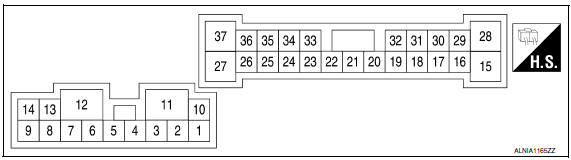
PHYSICAL VALUES
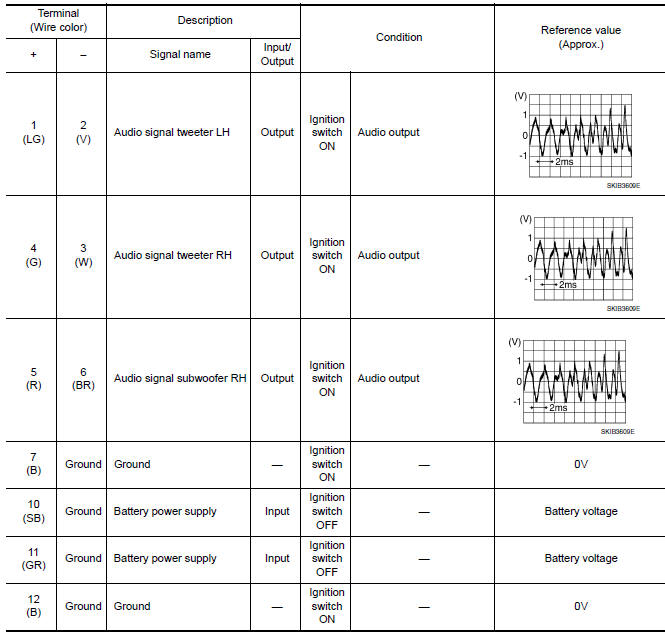
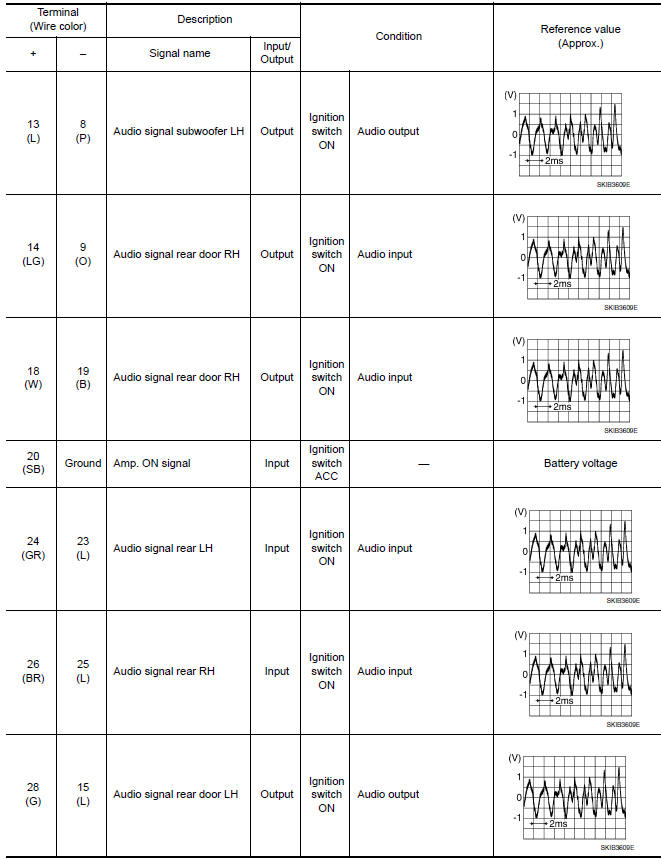
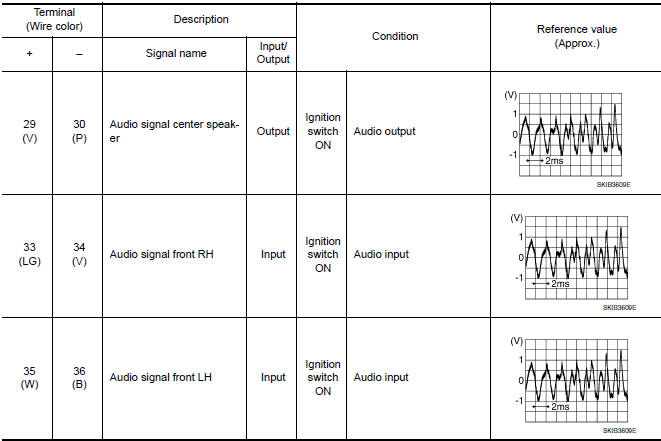
 Display unit
Reference Value
TERMINAL LAYOUT
PHYSICAL VALUES
...
 Satellite radio tuner
Reference Value
PHYSICAL VALUES
...
Other materials:
Center console assembly
Exploded View
Center console side finisher (LH)
Center console finisher
CVT finisher
Center console storage bin
Center console screw cover (LH)
Center console rear finisher
Center console screw cover (RH)
Center console
Center console lid assembly
Cup holder
Center cons ...
Antenna AMP
Removal and Installation
REMOVAL
Remove the rear pillar finisher RH. Refer to INT-23, "Exploded
View".
Detach the antenna amp. harness clip (A).
Disconnect the harness connectors (B) from the antenna amp.
(1).
Remove the antenna amp. screw (C) and the antenna amp. (1).
INSTALLAT ...
Precautions on cruise control
1. CANCEL switch
2. RES+ switch
3. SET- switch
4. ON/OFF cruise switch
If the cruise control system malfunctions, it
cancels automatically.
WARNING
Do not use the cruise control when driving
under the following conditions:
When it is not possible to keep the
vehicle at ...
Nissan Maxima Owners Manual
- Illustrated table of contents
- Safety-Seats, seat belts and supplemental restraint system
- Instruments and controls
- Pre-driving checks and adjustments
- Monitor, climate, audio, phone and voice recognition systems
- Starting and driving
- In case of emergency
- Appearance and care
- Do-it-yourself
- Maintenance and schedules
- Technical and consumer information
Nissan Maxima Service and Repair Manual

0.024